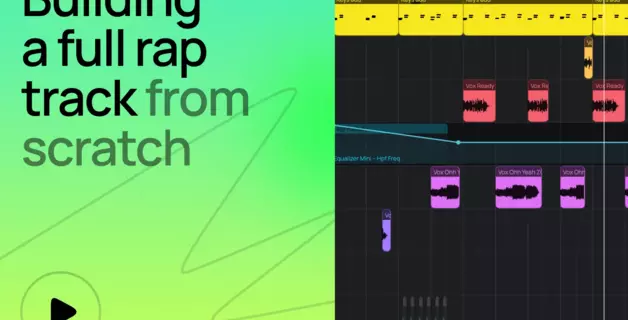
<turbo-stream action="append" target="articles_grid"><template><a class="relative flex flex-col justify-end pb-8 rounded-xl border border-amped-border overflow-hidden col-span-1 md:col-span-2 hover:opacity-95 transition bg-amped-black min-h-[380px] lg:min-h-[420px]" data-turbo="false" href="/de/blog/secrets-of-808-bass/"><img alt="808 Bass: Was er ist, wie man ihn herstellt und wie man ihn benutzt" class="absolute inset-0 w-full h-full object-cover" loading="lazy" src="https://d2dsarr59elxj9.cloudfront.net/articles/secrets-of-808-bass/image_processing20260602-1-seyx5v.webp" /><div class="absolute inset-0 bg-gradient-to-b from-transparent via-black/65 to-black"></div><div class="relative flex flex-col px-6 gap-y-4"><div class="flex flex-col gap-y-3"><div class="self-start inline-flex items-center justify-center px-2 rounded text-xs font-bold pt-1 pb-1.5 leading-[1.3] gap-2.5 text-[#A67CFF] bg-[#231345]">Artikel</div><h3 class="text-2xl font-semibold text-white line-clamp-3 leading-[1.3]">808 Bass: Was er ist, wie man ihn herstellt und wie man ihn benutzt</h3></div><p class="text-base line-clamp-2 text-white opacity-50 leading-[1.5]">Lerne, was ein 808-Bass ist, wie man ihn aus einer Sinuswelle baut, eine Bassline schreibt, 808-Verzerrung hinzufügt und ihn mit einer Kick mischt. Kostenlos, in Ihrem Browser.</p></div></a><a class="flex flex-col bg-white rounded-xl border border-amped-border overflow-hidden hover:opacity-90 transition" data-turbo="false" href="/de/blog/vocal-chain/"><img onerror="this.onerror=null; this.src=&#39;https://static.ampedstudio.com/assets/projects/project-2bc6854ec0a1dc96655de945597a5c3571e4eb96c26cbb1d6917032eb52ca6ba.png&#39;;" alt="Reihenfolge der Vokalketten: Wie man eine grundlegende Vokalkette in Amped Studio aufbaut" class="w-full h-42 object-cover" loading="lazy" src="https://d2dsarr59elxj9.cloudfront.net/articles/vocal-chain/image_processing20260526-1-1bmrcz.webp" /><div class="flex flex-col pb-8 px-6 gap-y-4 pt-6"><div class="flex flex-col gap-y-3"><div class="self-start inline-flex items-center justify-center px-2 rounded text-xs font-bold pt-1 pb-1.5 leading-[1.3] gap-2.5 text-amped-purple bg-[#A67CFF]/10">Artikel</div><h3 class="text-2xl font-semibold text-amped-black line-clamp-3 leading-[1.3]">Reihenfolge der Vokalketten: Wie man eine grundlegende Vokalkette in Amped Studio aufbaut</h3></div><p class="text-base line-clamp-3 text-amped-black/50 leading-[1.5]">Lernen Sie Schritt für Schritt die richtige Reihenfolge der Vocal-Chain - EQ, Kompression, De-Essing, Sättigung und Reverb. Eine praktische Anleitung zum Aufbau einer grundlegenden Vocal-Chain.</p></div></a><a class="flex flex-col bg-white rounded-xl border border-amped-border overflow-hidden hover:opacity-90 transition" data-turbo="false" href="/de/blog/how-to-make-a-rap-beat-in-your-browser/"><img onerror="this.onerror=null; this.src=&#39;https://static.ampedstudio.com/assets/projects/project-2bc6854ec0a1dc96655de945597a5c3571e4eb96c26cbb1d6917032eb52ca6ba.png&#39;;" alt="Wie man einen Rap-Beat in seinem Browser erstellt" class="w-full h-42 object-cover" loading="lazy" src="https://d2dsarr59elxj9.cloudfront.net/articles/how-to-make-a-rap-beat-in-your-browser/image_processing20260522-1-s6fgrn.webp" /><div class="flex flex-col pb-8 px-6 gap-y-4 pt-6"><div class="flex flex-col gap-y-3"><div class="self-start inline-flex items-center justify-center px-2 rounded text-xs font-bold pt-1 pb-1.5 leading-[1.3] gap-2.5 text-amped-orange bg-amped-orange/10">Tutorial</div><h3 class="text-2xl font-semibold text-amped-black line-clamp-3 leading-[1.3]">Wie man einen Rap-Beat in seinem Browser erstellt</h3></div><p class="text-base line-clamp-3 text-amped-black/50 leading-[1.5]">Mit den richtigen Tools ist es ganz einfach, einen Rap-Beat zu erstellen. Diese Schritt-für-Schritt-Anleitung führt Sie durch die Erstellung eines kompletten Rap-Beats in Amped Studio - arrangieren, mastern und online exportieren.</p></div></a><a class="flex flex-col bg-white rounded-xl border border-amped-border overflow-hidden hover:opacity-90 transition" data-turbo="false" href="/de/blog/creating-a-cover-song/"><img onerror="this.onerror=null; this.src=&#39;https://static.ampedstudio.com/assets/projects/project-2bc6854ec0a1dc96655de945597a5c3571e4eb96c26cbb1d6917032eb52ca6ba.png&#39;;" alt="Wie man einen Coversong macht: Vom Lernen der Parts bis zur legalen Veröffentlichung" class="w-full h-42 object-cover" loading="lazy" src="https://d2dsarr59elxj9.cloudfront.net/articles/creating-a-cover-song/image_processing20260508-1-t4kyuh.webp" /><div class="flex flex-col pb-8 px-6 gap-y-4 pt-6"><div class="flex flex-col gap-y-3"><div class="self-start inline-flex items-center justify-center px-2 rounded text-xs font-bold pt-1 pb-1.5 leading-[1.3] gap-2.5 text-amped-purple bg-[#A67CFF]/10">Artikel</div><h3 class="text-2xl font-semibold text-amped-black line-clamp-3 leading-[1.3]">Wie man einen Coversong macht: Vom Lernen der Parts bis zur legalen Veröffentlichung</h3></div><p class="text-base line-clamp-3 text-amped-black/50 leading-[1.5]">Vollständige Anleitung, wie man einen Song covert: Nehmen Sie ihn in Ihrem Browser mit Amped Studio auf, kümmern Sie sich dann um die Coversong-Lizenz und veröffentlichen Sie ihn legal auf Spotify.</p></div></a><a class="flex flex-col bg-white rounded-xl border border-amped-border overflow-hidden hover:opacity-90 transition" data-turbo="false" href="/de/blog/difference-between-mixing-mastering/"><img onerror="this.onerror=null; this.src=&#39;https://static.ampedstudio.com/assets/projects/project-2bc6854ec0a1dc96655de945597a5c3571e4eb96c26cbb1d6917032eb52ca6ba.png&#39;;" alt="Mixing vs. Mastering: Der Unterschied, erklärt" class="w-full h-42 object-cover" loading="lazy" src="https://d2dsarr59elxj9.cloudfront.net/articles/difference-between-mixing-mastering/image_processing20260430-1-1ezq4zg.webp" /><div class="flex flex-col pb-8 px-6 gap-y-4 pt-6"><div class="flex flex-col gap-y-3"><div class="self-start inline-flex items-center justify-center px-2 rounded text-xs font-bold pt-1 pb-1.5 leading-[1.3] gap-2.5 text-amped-purple bg-[#A67CFF]/10">Artikel</div><h3 class="text-2xl font-semibold text-amped-black line-clamp-3 leading-[1.3]">Mixing vs. Mastering: Der Unterschied, erklärt</h3></div><p class="text-base line-clamp-3 text-amped-black/50 leading-[1.5]">Der Unterschied zwischen Abmischen und Mastern erklärt: was die einzelnen Schritte sind, wie Abmischen und Mastern in der Praxis funktionieren und wann man einen Spezialisten beauftragen sollte.</p></div></a><a class="flex flex-col bg-white rounded-xl border border-amped-border overflow-hidden hover:opacity-90 transition" data-turbo="false" href="/de/blog/how-to-sample-a-song/"><img onerror="this.onerror=null; this.src=&#39;https://static.ampedstudio.com/assets/projects/project-2bc6854ec0a1dc96655de945597a5c3571e4eb96c26cbb1d6917032eb52ca6ba.png&#39;;" alt="Wie man einen Song sampelt: Sampling-Techniken, Clearing und Copyright" class="w-full h-42 object-cover" loading="lazy" src="https://d2dsarr59elxj9.cloudfront.net/articles/how-to-sample-a-song-sampling-techniques-clearing-and-copyright/image_processing20260416-1-1jz7kvm.webp" /><div class="flex flex-col pb-8 px-6 gap-y-4 pt-6"><div class="flex flex-col gap-y-3"><div class="self-start inline-flex items-center justify-center px-2 rounded text-xs font-bold pt-1 pb-1.5 leading-[1.3] gap-2.5 text-amped-purple bg-[#A67CFF]/10">Artikel</div><h3 class="text-2xl font-semibold text-amped-black line-clamp-3 leading-[1.3]">Wie man einen Song sampelt: Sampling-Techniken, Clearing und Copyright</h3></div><p class="text-base line-clamp-3 text-amped-black/50 leading-[1.5]">Lernen Sie, wie man einen Song legal sampelt - von Sampling-Techniken und Chopping in einer DAW bis hin zu Sample-Clearance und Copyright. Ein kompletter Leitfaden für Produzenten auf jedem Niveau.</p></div></a><a class="flex flex-col bg-white rounded-xl border border-amped-border overflow-hidden hover:opacity-90 transition" data-turbo="false" href="/de/blog/how-to-make-music/"><img onerror="this.onerror=null; this.src=&#39;https://static.ampedstudio.com/assets/projects/project-2bc6854ec0a1dc96655de945597a5c3571e4eb96c26cbb1d6917032eb52ca6ba.png&#39;;" alt="Musik machen für Einsteiger: Vom ersten Ton bis zum fertigen Track" class="w-full h-42 object-cover" loading="lazy" src="https://d2dsarr59elxj9.cloudfront.net/articles/how-to-make-music-for-beginners/image_processing20260409-1-1d7c6rc.webp" /><div class="flex flex-col pb-8 px-6 gap-y-4 pt-6"><div class="flex flex-col gap-y-3"><div class="self-start inline-flex items-center justify-center px-2 rounded text-xs font-bold pt-1 pb-1.5 leading-[1.3] gap-2.5 text-amped-green bg-amped-green/10">Tipps &amp; Tricks</div><h3 class="text-2xl font-semibold text-amped-black line-clamp-3 leading-[1.3]">Musik machen für Einsteiger: Vom ersten Ton bis zum fertigen Track</h3></div><p class="text-base line-clamp-3 text-amped-black/50 leading-[1.5]">Lernen Sie Schritt für Schritt, wie Sie Ihre eigene Musik machen können. Ein Leitfaden für Anfänger über Software zum Musikmachen, Beats, das Komponieren von Melodien und wie man zu Hause Musik machen kann - kostenlos.</p></div></a><a class="flex flex-col bg-white rounded-xl border border-amped-border overflow-hidden hover:opacity-90 transition" data-turbo="false" href="/de/blog/what-is-sound-design/"><img onerror="this.onerror=null; this.src=&#39;https://static.ampedstudio.com/assets/projects/project-2bc6854ec0a1dc96655de945597a5c3571e4eb96c26cbb1d6917032eb52ca6ba.png&#39;;" alt="Sounddesign: Was es ist, die wichtigsten Techniken und wie man damit anfängt" class="w-full h-42 object-cover" loading="lazy" src="https://d2dsarr59elxj9.cloudfront.net/articles/what-is-sound-design/image_processing20260401-1-n8f4mr.webp" /><div class="flex flex-col pb-8 px-6 gap-y-4 pt-6"><div class="flex flex-col gap-y-3"><div class="self-start inline-flex items-center justify-center px-2 rounded text-xs font-bold pt-1 pb-1.5 leading-[1.3] gap-2.5 text-amped-purple bg-[#A67CFF]/10">Artikel</div><h3 class="text-2xl font-semibold text-amped-black line-clamp-3 leading-[1.3]">Sounddesign: Was es ist, die wichtigsten Techniken und wie man damit anfängt</h3></div><p class="text-base line-clamp-3 text-amped-black/50 leading-[1.5]">Lernen Sie, was Sounddesign ist, beherrschen Sie Grundtechniken wie subtraktive und FM-Synthese, lernen Sie freie Software kennen und folgen Sie einem praktischen Arbeitsablauf, um zu beginnen.</p></div></a><a class="flex flex-col bg-white rounded-xl border border-amped-border overflow-hidden hover:opacity-90 transition" data-turbo="false" href="/de/blog/studio-redesign/"><img onerror="this.onerror=null; this.src=&#39;https://static.ampedstudio.com/assets/projects/project-2bc6854ec0a1dc96655de945597a5c3571e4eb96c26cbb1d6917032eb52ca6ba.png&#39;;" alt="Was ist neu in Amped Studio: Super-Presets und eine neu gestaltete Benutzeroberfläche" class="w-full h-42 object-cover" loading="lazy" src="https://d2dsarr59elxj9.cloudfront.net/articles/studio-redesign/image_processing20260323-1-1te3h7q.webp" /><div class="flex flex-col pb-8 px-6 gap-y-4 pt-6"><div class="flex flex-col gap-y-3"><div class="self-start inline-flex items-center justify-center px-2 rounded text-xs font-bold pt-1 pb-1.5 leading-[1.3] gap-2.5 text-amped-blue bg-amped-blue/10">Nachrichten</div><h3 class="text-2xl font-semibold text-amped-black line-clamp-3 leading-[1.3]">Was ist neu in Amped Studio: Super-Presets und eine neu gestaltete Benutzeroberfläche</h3></div><p class="text-base line-clamp-3 text-amped-black/50 leading-[1.5]">Neu in Amped Studio: Super Presets laden komplette Sounds mit einem Klick. Außerdem gibt es einen neu gestalteten Pianorollen-Editor, Bedienelemente zum Mischen von Spuren und eine moderne Benutzeroberfläche.</p></div></a><a class="relative flex flex-col justify-end pb-8 rounded-xl border border-amped-border overflow-hidden col-span-1 md:col-span-2 hover:opacity-95 transition bg-amped-black min-h-[380px] lg:min-h-[420px]" data-turbo="false" href="/de/blog/ai-beats/"><img alt="AI-generierte Beats erklärt: Typen, Tools und ihre Verwendung" class="absolute inset-0 w-full h-full object-cover" loading="lazy" src="https://d2dsarr59elxj9.cloudfront.net/articles/ai-beats/image_processing20260311-1-1690dzq.webp" /><div class="absolute inset-0 bg-gradient-to-b from-transparent via-black/65 to-black"></div><div class="relative flex flex-col px-6 gap-y-4"><div class="flex flex-col gap-y-3"><div class="self-start inline-flex items-center justify-center px-2 rounded text-xs font-bold pt-1 pb-1.5 leading-[1.3] gap-2.5 text-[#A67CFF] bg-[#231345]">Artikel</div><h3 class="text-2xl font-semibold text-white line-clamp-3 leading-[1.3]">AI-generierte Beats erklärt: Typen, Tools und ihre Verwendung</h3></div><p class="text-base line-clamp-2 text-white opacity-50 leading-[1.5]">Erfahren Sie, wie KI-generierte Beats im Jahr 2026 funktionieren - von kostenlosen KI-Beatmaker-Tools bis hin zu vollständigen DAW-Workflows. Erstellen Sie Hip-Hop- und Trap-Instrumentals online und bearbeiten Sie Stems im Browser. Schritt-für-Schritt-Anleitung.</p></div></a><a class="flex flex-col bg-white rounded-xl border border-amped-border overflow-hidden hover:opacity-90 transition" data-turbo="false" href="/de/blog/pop-music-making/"><img onerror="this.onerror=null; this.src=&#39;https://static.ampedstudio.com/assets/projects/project-2bc6854ec0a1dc96655de945597a5c3571e4eb96c26cbb1d6917032eb52ca6ba.png&#39;;" alt="Popmusik machen: Wie man einen Popsong schreibt, produziert und fertigstellt" class="w-full h-42 object-cover" loading="lazy" src="https://d2dsarr59elxj9.cloudfront.net/articles/pop-music-making/image_processing20260305-1-q9kz9a.webp" /><div class="flex flex-col pb-8 px-6 gap-y-4 pt-6"><div class="flex flex-col gap-y-3"><div class="self-start inline-flex items-center justify-center px-2 rounded text-xs font-bold pt-1 pb-1.5 leading-[1.3] gap-2.5 text-amped-purple bg-[#A67CFF]/10">Artikel</div><h3 class="text-2xl font-semibold text-amped-black line-clamp-3 leading-[1.3]">Popmusik machen: Wie man einen Popsong schreibt, produziert und fertigstellt</h3></div><p class="text-base line-clamp-3 text-amped-black/50 leading-[1.5]">Ein praktischer Leitfaden für die Erstellung von Popmusik - von der Struktur von Popsongs und Akkordfolgen bis hin zu Beats, Hooks und Produktion. Lernen Sie, wie man einen Popsong schreibt.</p></div></a><a class="flex flex-col bg-white rounded-xl border border-amped-border overflow-hidden hover:opacity-90 transition" data-turbo="false" href="/de/blog/what-is-modulation/"><img onerror="this.onerror=null; this.src=&#39;https://static.ampedstudio.com/assets/projects/project-2bc6854ec0a1dc96655de945597a5c3571e4eb96c26cbb1d6917032eb52ca6ba.png&#39;;" alt="Modulation in der Musik - Wie Tonartwechsel Lieder unvergesslich machen" class="w-full h-42 object-cover" loading="lazy" src="https://d2dsarr59elxj9.cloudfront.net/articles/modulation-in-music-how-key-changes-make-songs-unforgettable/image_processing20260302-1-sjwxuc.webp" /><div class="flex flex-col pb-8 px-6 gap-y-4 pt-6"><div class="flex flex-col gap-y-3"><div class="self-start inline-flex items-center justify-center px-2 rounded text-xs font-bold pt-1 pb-1.5 leading-[1.3] gap-2.5 text-amped-purple bg-[#A67CFF]/10">Artikel</div><h3 class="text-2xl font-semibold text-amped-black line-clamp-3 leading-[1.3]">Modulation in der Musik - Wie Tonartwechsel Lieder unvergesslich machen</h3></div><p class="text-base line-clamp-3 text-amped-black/50 leading-[1.5]">Was ist Modulation in der Musik und wie funktionieren Tonartwechsel in Songs? Lernen Sie 4 Arten mit berühmten Beispielen und ändern Sie die Tonart eines Songs online in Amped Studio.</p></div></a><a class="flex flex-col bg-white rounded-xl border border-amped-border overflow-hidden hover:opacity-90 transition" data-turbo="false" href="/de/blog/shift-pitch-online/"><img onerror="this.onerror=null; this.src=&#39;https://static.ampedstudio.com/assets/projects/project-2bc6854ec0a1dc96655de945597a5c3571e4eb96c26cbb1d6917032eb52ca6ba.png&#39;;" alt="Tonhöhe online verschieben: Gesang korrigieren, Audio transponieren und Harmonien erstellen" class="w-full h-42 object-cover" loading="lazy" src="https://d2dsarr59elxj9.cloudfront.net/articles/shift-pitch-online/image_processing20260302-1-vek8ck.webp" /><div class="flex flex-col pb-8 px-6 gap-y-4 pt-6"><div class="flex flex-col gap-y-3"><div class="self-start inline-flex items-center justify-center px-2 rounded text-xs font-bold pt-1 pb-1.5 leading-[1.3] gap-2.5 text-amped-green bg-amped-green/10">Tipps &amp; Tricks</div><h3 class="text-2xl font-semibold text-amped-black line-clamp-3 leading-[1.3]">Tonhöhe online verschieben: Gesang korrigieren, Audio transponieren und Harmonien erstellen</h3></div><p class="text-base line-clamp-3 text-amped-black/50 leading-[1.5]">Verändern Sie die Tonhöhe online, ohne das Tempo zu ändern. Transponieren Sie Samples, korrigieren Sie schiefe Stimmen und erstellen Sie Harmonien - kostenlos in Amped Studio. Kein Download erforderlich. Probieren Sie es jetzt aus.</p></div></a><a class="flex flex-col bg-white rounded-xl border border-amped-border overflow-hidden hover:opacity-90 transition" data-turbo="false" href="/de/blog/digital-recording-guide/"><img onerror="this.onerror=null; this.src=&#39;https://static.ampedstudio.com/assets/projects/project-2bc6854ec0a1dc96655de945597a5c3571e4eb96c26cbb1d6917032eb52ca6ba.png&#39;;" alt="Audioaufnahmen am Computer: Einsteigerhandbuch für digitale Aufnahmen" class="w-full h-42 object-cover" loading="lazy" src="https://d2dsarr59elxj9.cloudfront.net/articles/Digital%20Recording/image_processing20260302-1-1w3qzax.webp" /><div class="flex flex-col pb-8 px-6 gap-y-4 pt-6"><div class="flex flex-col gap-y-3"><div class="self-start inline-flex items-center justify-center px-2 rounded text-xs font-bold pt-1 pb-1.5 leading-[1.3] gap-2.5 text-amped-purple bg-[#A67CFF]/10">Artikel</div><h3 class="text-2xl font-semibold text-amped-black line-clamp-3 leading-[1.3]">Audioaufnahmen am Computer: Einsteigerhandbuch für digitale Aufnahmen</h3></div><p class="text-base line-clamp-3 text-amped-black/50 leading-[1.5]">Ein praktischer Leitfaden für digitale Aufnahmen: Richten Sie Ihr Heimstudio ein, wählen Sie das beste Audio-Interface und beginnen Sie mit kostenlosen Audioaufnahmen auf Ihrem Computer.</p></div></a><a class="relative flex flex-col justify-end pb-8 rounded-xl border border-amped-border overflow-hidden col-span-1 md:col-span-2 hover:opacity-95 transition bg-amped-black min-h-[380px] lg:min-h-[420px]" data-turbo="false" href="/de/blog/ai-in-music-production/"><img alt="KI in der Musikproduktion: Welche Tools eignen sich tatsächlich für Profis?" class="absolute inset-0 w-full h-full object-cover" loading="lazy" src="https://d2dsarr59elxj9.cloudfront.net/articles/ai-in-music-production/image_processing20260218-1-79hs9.webp" /><div class="absolute inset-0 bg-gradient-to-b from-transparent via-black/65 to-black"></div><div class="relative flex flex-col px-6 gap-y-4"><div class="flex flex-col gap-y-3"><div class="self-start inline-flex items-center justify-center px-2 rounded text-xs font-bold pt-1 pb-1.5 leading-[1.3] gap-2.5 text-[#A67CFF] bg-[#231345]">Artikel</div><h3 class="text-2xl font-semibold text-white line-clamp-3 leading-[1.3]">KI in der Musikproduktion: Welche Tools eignen sich tatsächlich für Profis?</h3></div><p class="text-base line-clamp-2 text-white opacity-50 leading-[1.5]">Kostenlose KI-Stammseparation, KI-Mischassistenten und KI-Musikgeneratoren, die in der Praxis getestet wurden. Kein Hype. Bewertungen und Tipps zu den Tools UVR, Sonible, Suno v5 und Amped Studio. Aktualisiert 2026.</p></div></a><a class="flex flex-col bg-white rounded-xl border border-amped-border overflow-hidden hover:opacity-90 transition" data-turbo="false" href="/de/blog/super-presets/"><img onerror="this.onerror=null; this.src=&#39;https://static.ampedstudio.com/assets/projects/project-2bc6854ec0a1dc96655de945597a5c3571e4eb96c26cbb1d6917032eb52ca6ba.png&#39;;" alt="Super-Presets: Gebrauchsfertige Instrumenten- und Effektketten" class="w-full h-42 object-cover" loading="lazy" src="https://d2dsarr59elxj9.cloudfront.net/articles/super-presets/image_processing20260128-1-14629og.webp" /><div class="flex flex-col pb-8 px-6 gap-y-4 pt-6"><div class="flex flex-col gap-y-3"><div class="self-start inline-flex items-center justify-center px-2 rounded text-xs font-bold pt-1 pb-1.5 leading-[1.3] gap-2.5 text-amped-green bg-amped-green/10">Tipps &amp; Tricks</div><h3 class="text-2xl font-semibold text-amped-black line-clamp-3 leading-[1.3]">Super-Presets: Gebrauchsfertige Instrumenten- und Effektketten</h3></div><p class="text-base line-clamp-3 text-amped-black/50 leading-[1.5]">Auf der Suche nach produktionsreifen Sounds? Die Super-Presets in Amped Studio bieten sofort einsatzbereite Instrumenten-Presets mit einem kompletten Effekt-Rack. Verbessern Sie jetzt Ihren Musikproduktions-Workflow und Ihre Effizienz. </p></div></a><a class="flex flex-col bg-white rounded-xl border border-amped-border overflow-hidden hover:opacity-90 transition" data-turbo="false" href="/de/blog/song-recording/"><img onerror="this.onerror=null; this.src=&#39;https://static.ampedstudio.com/assets/projects/project-2bc6854ec0a1dc96655de945597a5c3571e4eb96c26cbb1d6917032eb52ca6ba.png&#39;;" alt="Lieder online aufnehmen: Ein Leitfaden für Anfänger" class="w-full h-42 object-cover" loading="lazy" src="https://d2dsarr59elxj9.cloudfront.net/articles/song-recording/image_processing20251120-1-1py5fjc.webp" /><div class="flex flex-col pb-8 px-6 gap-y-4 pt-6"><div class="flex flex-col gap-y-3"><div class="self-start inline-flex items-center justify-center px-2 rounded text-xs font-bold pt-1 pb-1.5 leading-[1.3] gap-2.5 text-amped-orange bg-amped-orange/10">Tutorial</div><h3 class="text-2xl font-semibold text-amped-black line-clamp-3 leading-[1.3]">Lieder online aufnehmen: Ein Leitfaden für Anfänger</h3></div><p class="text-base line-clamp-3 text-amped-black/50 leading-[1.5]">Erfahren Sie in dieser Schritt-für-Schritt-Anleitung, wie Sie Amped Studio als Song Recorder nutzen können. Nehmen Sie Lieder kostenlos online in einem leistungsstarken Online-Musikstudio auf, das für Kreative entwickelt wurde.</p></div></a><a class="flex flex-col bg-white rounded-xl border border-amped-border overflow-hidden hover:opacity-90 transition" data-turbo="false" href="/de/blog/online-drum-programming/"><img onerror="this.onerror=null; this.src=&#39;https://static.ampedstudio.com/assets/projects/project-2bc6854ec0a1dc96655de945597a5c3571e4eb96c26cbb1d6917032eb52ca6ba.png&#39;;" alt="Online-Schlagzeugprogrammierung: Wie man Schlagzeug in einer DAW für Anfänger programmiert" class="w-full h-42 object-cover" loading="lazy" src="https://d2dsarr59elxj9.cloudfront.net/articles/online-drum-programming/image_processing20260206-1-16eno6z.webp" /><div class="flex flex-col pb-8 px-6 gap-y-4 pt-6"><div class="flex flex-col gap-y-3"><div class="self-start inline-flex items-center justify-center px-2 rounded text-xs font-bold pt-1 pb-1.5 leading-[1.3] gap-2.5 text-amped-green bg-amped-green/10">Tipps &amp; Tricks</div><h3 class="text-2xl font-semibold text-amped-black line-clamp-3 leading-[1.3]">Online-Schlagzeugprogrammierung: Wie man Schlagzeug in einer DAW für Anfänger programmiert</h3></div><p class="text-base line-clamp-3 text-amped-black/50 leading-[1.5]">Lernen Sie die Online-Schlagzeugprogrammierung in einer DAW mit dieser Anleitung für Einsteiger. Beherrschen Sie die Grundlagen des Step-Sequenzers, Drum-Patterns und kostenlose Software für die Programmierung von Schlagzeug.</p></div></a><a class="flex flex-col bg-white rounded-xl border border-amped-border overflow-hidden hover:opacity-90 transition" data-turbo="false" href="/de/blog/ai-assistant/"><img onerror="this.onerror=null; this.src=&#39;https://static.ampedstudio.com/assets/projects/project-2bc6854ec0a1dc96655de945597a5c3571e4eb96c26cbb1d6917032eb52ca6ba.png&#39;;" alt="KI-Assistent: Amped Studios Multitrack KI-Musikgenerator Erklärt" class="w-full h-42 object-cover" loading="lazy" src="https://d2dsarr59elxj9.cloudfront.net/articles/ai-assistant/image_processing20251231-1-dnkn3g.webp" /><div class="flex flex-col pb-8 px-6 gap-y-4 pt-6"><div class="flex flex-col gap-y-3"><div class="self-start inline-flex items-center justify-center px-2 rounded text-xs font-bold pt-1 pb-1.5 leading-[1.3] gap-2.5 text-amped-orange bg-amped-orange/10">Tutorial</div><h3 class="text-2xl font-semibold text-amped-black line-clamp-3 leading-[1.3]">KI-Assistent: Amped Studios Multitrack KI-Musikgenerator Erklärt</h3></div><p class="text-base line-clamp-3 text-amped-black/50 leading-[1.5]">Amped Studios KI-Assistent generiert bearbeitbare KI-Stems direkt im Browser. Kostenloser KI-Musikgenerator mit Multitrack-Ausgabe. Erstellen, bearbeiten, exportieren – keine Downloads.</p></div></a><a class="flex flex-col bg-white rounded-xl border border-amped-border overflow-hidden hover:opacity-90 transition" data-turbo="false" href="/de/blog/best-free-vst-plugins/"><img onerror="this.onerror=null; this.src=&#39;https://static.ampedstudio.com/assets/projects/project-2bc6854ec0a1dc96655de945597a5c3571e4eb96c26cbb1d6917032eb52ca6ba.png&#39;;" alt="Die besten kostenlosen VST-Plugins für die Musikproduktion im Jahr 2026" class="w-full h-42 object-cover" loading="lazy" src="https://d2dsarr59elxj9.cloudfront.net/articles/best-free-vst-plugins/image_processing20251207-1-1koe36z.webp" /><div class="flex flex-col pb-8 px-6 gap-y-4 pt-6"><div class="flex flex-col gap-y-3"><div class="self-start inline-flex items-center justify-center px-2 rounded text-xs font-bold pt-1 pb-1.5 leading-[1.3] gap-2.5 text-amped-purple bg-[#A67CFF]/10">Artikel</div><h3 class="text-2xl font-semibold text-amped-black line-clamp-3 leading-[1.3]">Die besten kostenlosen VST-Plugins für die Musikproduktion im Jahr 2026</h3></div><p class="text-base line-clamp-3 text-amped-black/50 leading-[1.5]">Kostenlose VST-Plugins 2026: Entdecke Top-Synths, Drums, Reverb- &amp; Mixing-Tools. Lerne Tonhöhenkorrektur &amp; Gesangsverarbeitung. Starte noch heute mit Amped Studio.</p></div></a><a class="flex flex-col bg-white rounded-xl border border-amped-border overflow-hidden hover:opacity-90 transition" data-turbo="false" href="/de/blog/how-to-make-house-music/"><img onerror="this.onerror=null; this.src=&#39;https://static.ampedstudio.com/assets/projects/project-2bc6854ec0a1dc96655de945597a5c3571e4eb96c26cbb1d6917032eb52ca6ba.png&#39;;" alt="Wie man House-Musik macht: Ein Leitfaden für Anfänger" class="w-full h-42 object-cover" loading="lazy" src="https://d2dsarr59elxj9.cloudfront.net/articles/how-to-make-house-music/image_processing20251201-1-12jujms.webp" /><div class="flex flex-col pb-8 px-6 gap-y-4 pt-6"><div class="flex flex-col gap-y-3"><div class="self-start inline-flex items-center justify-center px-2 rounded text-xs font-bold pt-1 pb-1.5 leading-[1.3] gap-2.5 text-amped-purple bg-[#A67CFF]/10">Artikel</div><h3 class="text-2xl font-semibold text-amped-black line-clamp-3 leading-[1.3]">Wie man House-Musik macht: Ein Leitfaden für Anfänger</h3></div><p class="text-base line-clamp-3 text-amped-black/50 leading-[1.5]">Sie möchten House-Musik machen, wissen aber nicht, wo Sie anfangen sollen? Folgen Sie diesem anfängerfreundlichen Leitfaden und beginnen Sie mit Amped Studio, komplette Tracks online zu produzieren.</p></div></a></template></turbo-stream><turbo-stream action="replace" target="load_more_button"><template><div class="flex justify-center mt-14" id="load_more_button"><button name="button" type="button" class="inline-flex items-center justify-center rounded-full border border-amped-black px-6 py-3.5 text-lg font-semibold text-amped-black hover:bg-amped-black hover:text-white transition" data-load-more-url="/de/blog/?load_more=1&amp;page=2">Mehr laden</button></div></template></turbo-stream>