Chord Progression Generator

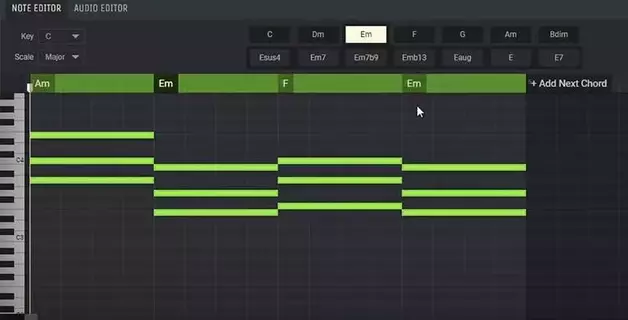
Building strong chord progressions is one of the foundations of writing great songs. But if you’re not confident in music theory — or just want to sketch out harmonic ideas quickly — using an online chord progression generator can make all the difference.
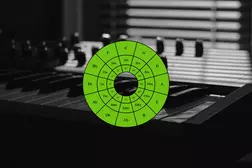
Amped Studio’s Chord Creator lets you generate rich harmonic sequences in just a few clicks, directly in your browser. Whether you’re starting from scratch, improvising over loops, or layering chords under a melody, this tool helps producers and songwriters of any level build chord progressions faster and easier — without needing to know every key, mode, or interval.
Why Use Amped Studio’s Chord Progression Generator?
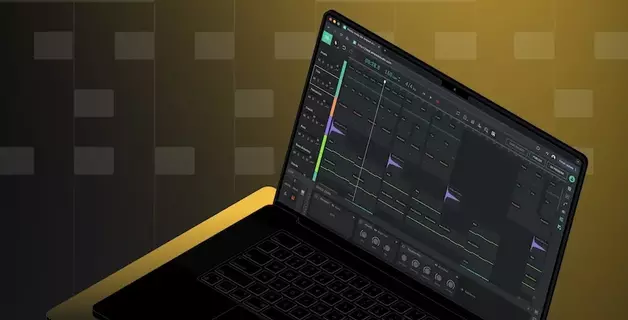
Amped Studio offers a streamlined browser-based DAW experience, and its built-in Chord Creator is one of its most accessible tools for composing chord progressions. Whether you're a beginner without formal music theory knowledge or an experienced producer looking to work faster, Chord Creator simplifies the process of building harmonic ideas directly in the sequencer.
Here’s what makes Chord Creator in Amped Studio especially useful:
Intuitive MIDI Editing
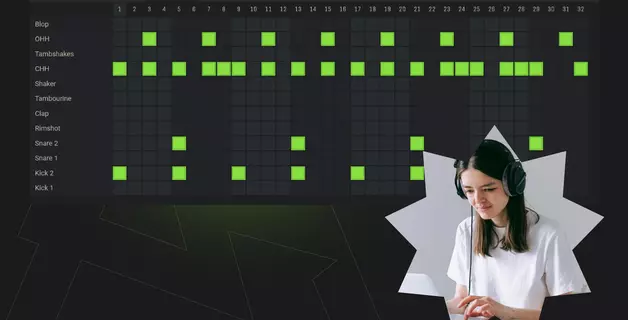
You can sketch out harmonic ideas quickly using your mouse or a MIDI keyboard. The piano roll editor is designed for ease of use — making it simple to draw chords manually or work with prebuilt harmonic patterns.
Available in Desktop Browsers
Amped Studio runs entirely in a browser on desktop operating systems. That means you can access your projects from any computer without installing additional software — though it’s important to note that mobile devices are not currently supported.
Project Sharing for Collaborative Work
If you're collaborating with other musicians, you can share your project using a link. Once a collaborator opens the link and saves the project, a personal copy is created in their account. While this isn’t real-time editing, it provides a convenient way to exchange and develop musical ideas across users.
Integrated Loop and Sample Library
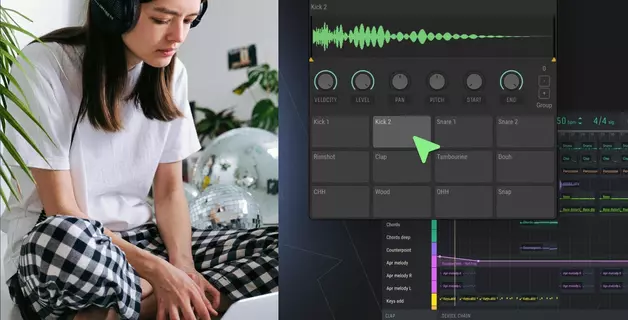
Amped Studio features a built-in collection of loops, MIDI patterns, and sample-based instruments. These can be combined with Chord Creator to explore chord progressions in the context of a full arrangement — making it easier to find musical inspiration.
Guided Harmony for Non-Theorists
Even if you're unfamiliar with scales, keys, or harmonic functions, Chord Creator helps you stay on track. Just select a key and mode, and it will suggest chords that work well together — allowing you to build progressions without needing to understand traditional music theory.
How to Use the Amped Studio Chord Generator?
Chord Creator makes it easy to generate custom chord progressions directly inside Amped Studio — even if you have no formal music theory background.
Getting Started
To get started, create a new region in the sequencer by double‑clicking an empty space on a track. Then, double‑click the region to open it in the MIDI editor.
Inside the editor, you can record MIDI notes using a MIDI keyboard or your computer keyboard — or build chord progressions manually by placing notes on the piano roll. For a faster approach, enable Chord Creator to generate harmonies automatically based on your selected key and mode.
Using Chord Creator
Open the region in the MIDI editor
Double‑click the region to open the MIDI editor (Content Editor). This is where you’ll build or edit your chord progression.Enable Chord Creator
In the editor panel, check the box next to Chord Creator to activate the tool.Select your key and mode
Use the drop‑down menus to choose a key (e.g. A) and a mode (e.g. minor). Chord Creator will generate chords that fit within the selected scale.Choose chords from the progression bank
Click on any chord button (e.g. Am, Em, C) to insert that chord into your region. The notes will appear on the piano roll, properly voiced and quantized.Build your sequence
After placing each chord, click Add Next Chord to move forward in the grid and continue building your progression.Adjust rhythm and spacing
Use the Rhythm drop‑down to select how the notes are distributed (e.g. arpeggiated or block chords), and adjust the Spacing slider to control their duration.Customize as needed
Rearrange chord blocks manually, edit individual notes, or create your own voicings to personalize the progression.Change the instrument sound
By default, chords play through a piano instrument, but you can switch to any other virtual instrument from Amped Studio’s library — including synths, guitars, or samplers.
Build Around Your Chord Progression
Once your chord progression is ready, you can expand your arrangement by:
- Adding melodies or bass lines from the loop or pattern library
- Dropping in drum loops to establish rhythm
- Recording vocals or spoken parts directly with a microphone
- Layering audio and MIDI content to create a full composition
Amped Studio provides a wide selection of MIDI clips, loops, and samplers to use as building blocks — all accessible from the browser interface.
Other Ways to Build Harmony
In addition to Chord Creator, Amped Studio offers flexible tools for working with harmony:
- Record chord parts with a MIDI keyboard if you’re comfortable playing them in real time. You can then use the editor or Chord Creator to refine the results.
- Draw chords manually in the MIDI editor if you prefer hands-on control or want to experiment by ear.
- Use existing MIDI patterns as a starting point, and edit them to match your harmonic goals.
Even if you're a complete beginner, Chord Creator makes it possible to compose harmonically rich music without advanced theory. And as your skills grow, you can move from relying on automation to customizing progressions with deeper knowledge of keys, voicings, and harmonic functions — all within a single DAW environment.
FAQ
Choosing a key and mode depends on the mood and style you want. For example, C major is bright and neutral, while A minor has a more emotional tone. Amped Studio’s Chord Creator suggests chords that match your selected key and mode, which helps beginners stay in harmony while learning how different tonalities affect a song.
No. Chord Creator is designed to help users build chord progressions without requiring prior theory knowledge. It automatically suggests chords that work together in a given key and mode, making it easier to create music even if you're new to concepts like scales, intervals, or harmonic functions.
Yes — you can export any chord progression as a MIDI file by right-clicking the region in the sequencer and selecting “Export midi clip.” This lets you save the file to your computer for use in other DAWs or projects.
Alternatively, you can save progressions internally using Smart MIDI, which stores both the notes and instrument settings in your personal Amped Studio library. Later, you can reuse the progression in a different project and easily swap instruments or apply new effects.
They can be. While chord generators aren’t formal teaching tools, they allow beginners to experiment with keys, modes, and chord combinations in a hands-on way. Seeing how chord progressions change with different settings can help you internalize music theory concepts through practice.