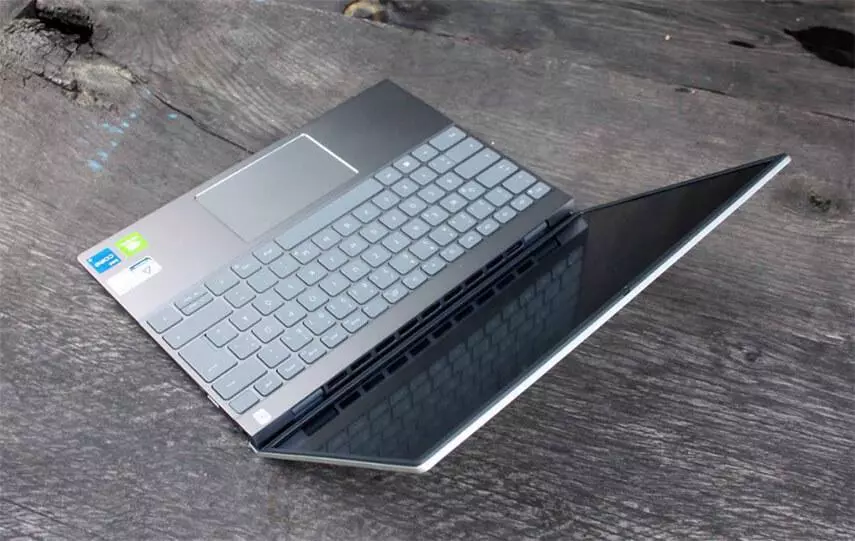
Looking for the perfect laptop for music production? You’ve come to the right place. We’ve gathered some of the best ultrabooks and notebooks for music making — from Apple, Dell, Microsoft and more.
For years, Apple has been a top choice for musicians looking for a laptop for music production. As the only portable platform for Logic Pro X, the Apple MacBook Pro has become a popular choice for producers. However, Windows laptops are becoming increasingly viable options in this category, with Dell, Microsoft and other big‑tech brands offering excellent machines geared toward music production. This increased competition is great news for consumers — it means we have more choice when it comes to finding the perfect laptop for our needs. So whether you’re an experienced producer or just getting started, we’ve got you covered.
When looking for the best laptop for your home studio, it’s important to consider the power and memory specs of the machine. While most DAWs can run on a multi‑core processor with 4 GB of RAM, you’ll need more power for real-world applications. You’ll also want a laptop with enough headroom to handle whatever you may need down the line. So when shopping for a music laptop, make sure it meets or exceeds the “recommended specs” to avoid future headaches.
As a DJ or musician, you know that weight and portability are important factors when choosing a laptop. Some of the heaviest laptops are also among the most powerful — but carrying them around can be tiring. So it is important to find a laptop that is both powerful and lightweight. Additionally, it’s helpful if the laptop has enough battery capacity so that you can use it without being near a power outlet.
If you’re looking for a new laptop and want to ensure it’s suitable for music production, there are a few key considerations. First, the laptop should be powerful enough to handle a variety of tasks. Secondly, it should be lightweight enough to carry around easily. And finally, it’s helpful if the battery lasts long enough so you don’t constantly need to hunt for a power outlet.
When it comes to choosing a laptop for production, affordability is often a key deciding factor. However, this doesn’t mean you have to sacrifice what you want just to stay within budget. Even so‑called “entry-level” laptops can handle a wide range of production tasks without much trouble. So don’t be afraid to shop around to find the best deal for you.
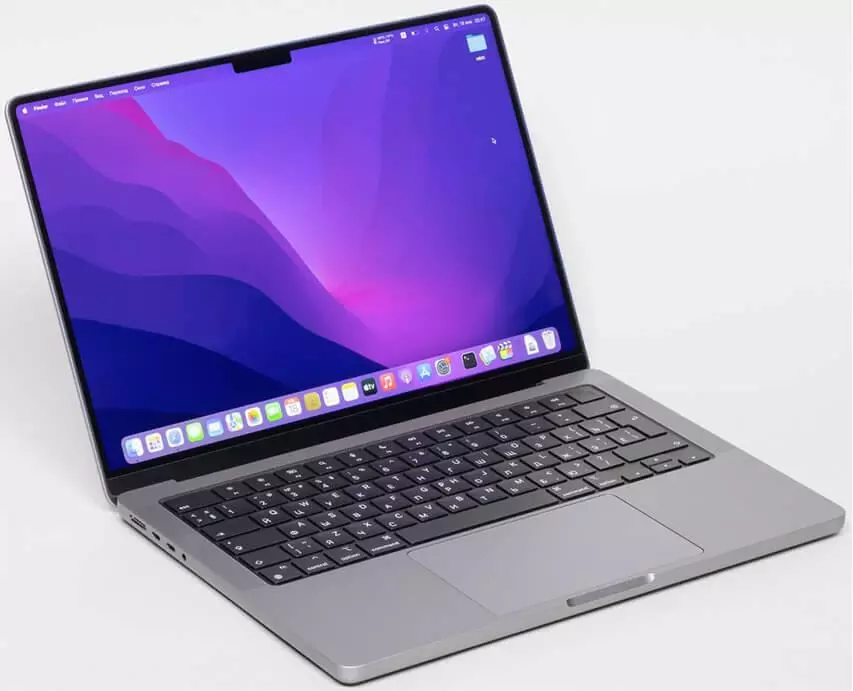
The new Apple MacBook Pro 14‑inch (2021) lineup is a great choice for anyone seeking a powerful, reliable laptop. Even though the prices are high, the performance you get in return is well worth it. These laptops are built to last, so you can expect to use them for years without worrying about breakdowns.
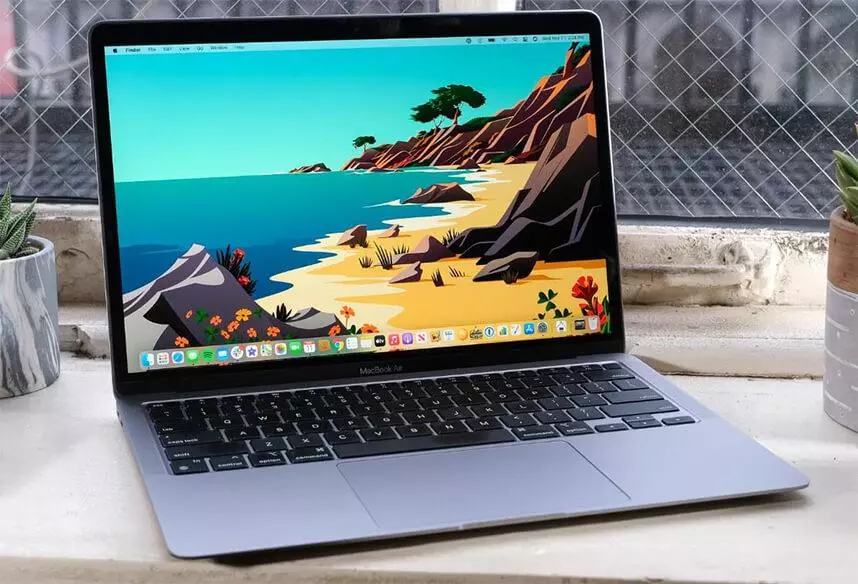
The M1 chip in the new MacBook Air makes it a strong option for music making. It has enough power to handle most tasks, and remains lightweight and portable. If you’re looking for a laptop capable of music production, the MacBook Air is a strong option.
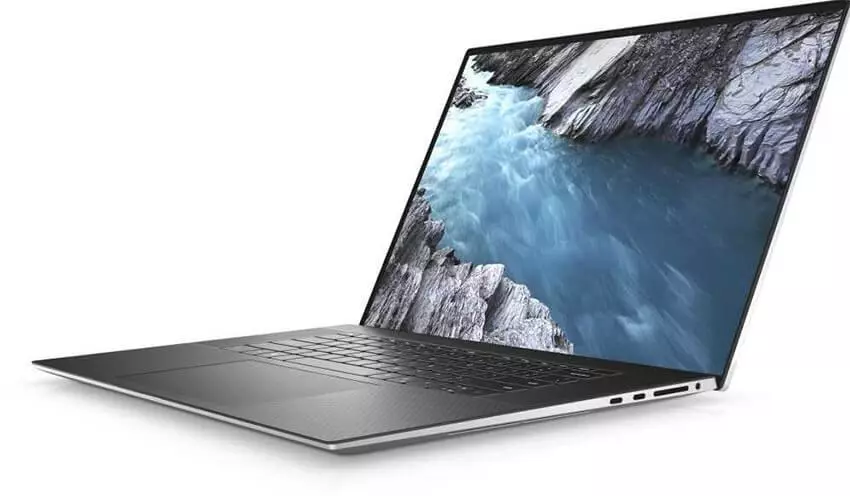
The Dell XPS 13 OLED is a compelling choice for Windows users in terms of performance and durability. It can handle heavy DAW sessions without problems.
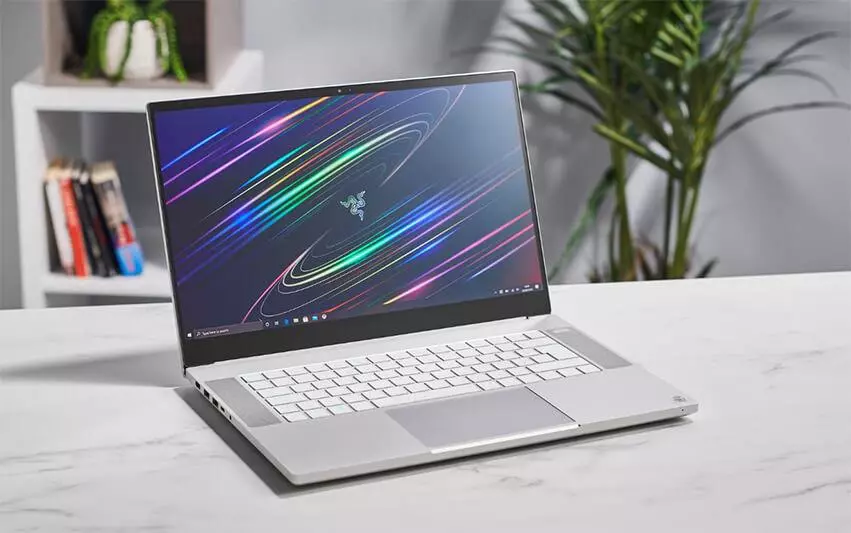
Gamers tend to demand high processing power and fast CPUs — which is great news for you if you’re looking for a powerful studio laptop. For our money, we’re especially impressed with the Razer Blade 15 Studio Edition. It’s incredibly powerful, looks great, and would make a worthy studio powerhouse across a range of creative pursuits.
If you’re looking for a powerful laptop for your studio, we recommend exploring gaming laptops. While their aesthetic might not be ideal for everyone, gamers’ demand for speed and processing power works in your favor. The Razer Blade 15 Studio Edition stands out — it’s incredibly powerful, visually appealing, and suited for studio work across many creative fields.
How to Choose the Best Laptop for Making Music
The best laptop for music production isn’t always obvious. There are several factors you will need to consider. Below we list factors that will help you select the best music‑production laptop.
The first thing to consider is what type of music you plan to produce. If you mainly produce electronic music, then you’ll need a laptop with a substantial processor and a quality sound card. If you mostly work with acoustic music, you’ll want a laptop with good audio‑recording capabilities.
The next factor to consider is your budget. Laptops vary in price from a few hundred dollars to several thousand. You must find the right balance between the features you need and the price you’re willing to pay.
Finally, consider portability. If you plan to bring your laptop to gigs or other performances, you’ll want something lightweight with good battery life.
In addition to these, pay attention to the following criteria:
Performance and Processor
When choosing a laptop for music production, performance is crucial — especially if you expect to handle intensive tasks.
The processor is one of the most important aspects of performance. If you choose a fast processor, your work will run efficiently and quickly. If the processor is slow, it can cause delays and reduce productivity.
RAM
It’s important to consider the amount of RAM a laptop offers if you want strong performance. RAM acts as short-term memory for your system, letting you run recent apps smoothly. A laptop with more RAM will generally perform better than one with less.
Storage Requirements
When choosing a laptop for music production, storage capacity matters. You’ll need enough space to store all your audio files and recordings. Also, you should look for a model with a solid-state drive (SSD), which provides faster data transfer and smoother performance. Although SSDs cost more than traditional hard drives, they’re worth considering for music production applications.
Battery
Long battery life is important for any laptop user. A device with at least 8 hours of battery life will let you work on projects without interruption. If a laptop offers 15–20 hours of battery, that’s even better — giving you plenty of time before needing to recharge.
Weight
There are many factors to consider when purchasing a laptop, and weight is one of the most important. If you travel often, you’ll want a laptop that’s as lightweight as possible for convenience. Many great lightweight laptops are available today — so you don’t necessarily have to sacrifice performance to get portability.
Connectivity
When buying a computer, it’s important to make sure it offers all essential ports: USB, HDMI, audio ports, Wi-Fi, Bluetooth, etc. This gives you flexibility to connect a variety of devices and networks efficiently.
Mobility
If you plan to use your laptop for live recordings or performances, mobility becomes crucial. A smaller laptop is easier to carry on stage and takes up less space. Also, if you’ll perform in dim environments (like clubs), a backlit keyboard is often a good idea.
Beast Laptops for Music Production — Reviews
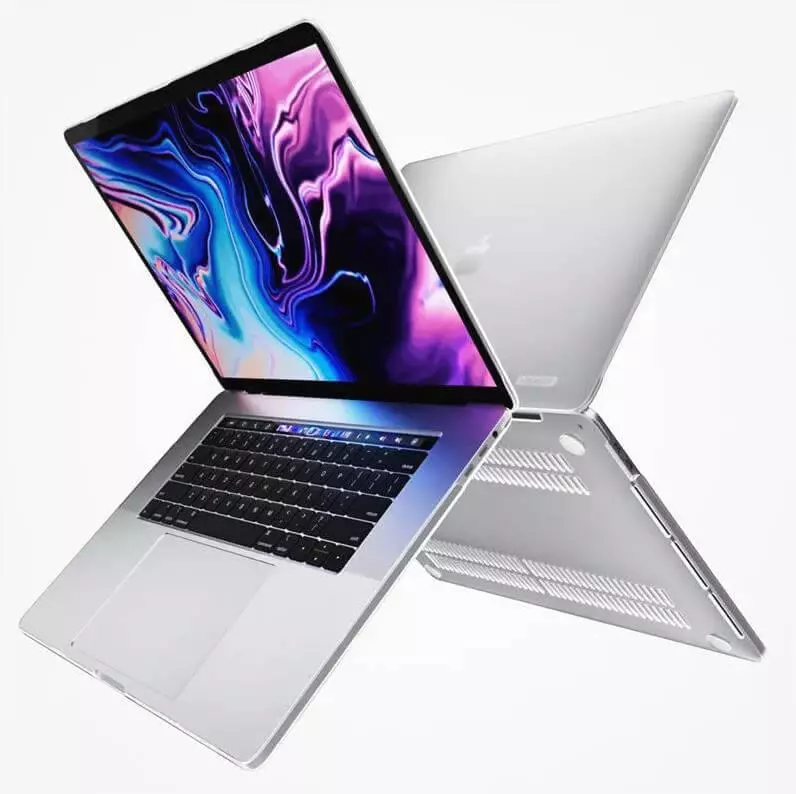
1. Apple MacBook Pro 14
CPU: Apple M1 Pro
Graphics: Apple M1 Pro
RAM: 8GB
Screen size: 15.6 inches
Resolution: 1920 x 1080 pixels
Storage: 256 GB SSD
Connectivity: HDMI 2.0 port, Ethernet port, USB type C, two USB 3.0 ports, one 3.5mm audio jack
Camera: 720P HD webcam
Battery: 8 hours
Weight: 3.5 pounds
Average price: $2000
The 2022 MacBook Pro 14” may not look dramatically different at first glance, but major changes have been made internally. The Retina screen has been upgraded for better visuals, and the hardware and software have been optimized to work together more efficiently. That makes the 14” MacBook Pro ideal for music production — thanks to high-quality audio and strong performance.
The M1 Pro and M1 Max chips deliver powerful performance even for demanding creative work. The 14” model can be configured with up to 64 GB of RAM and up to 8 TB SSD storage — a great match for serious music producers. Though it’s expensive, this is one of the few machines capable of handling heavy workloads without compromise.
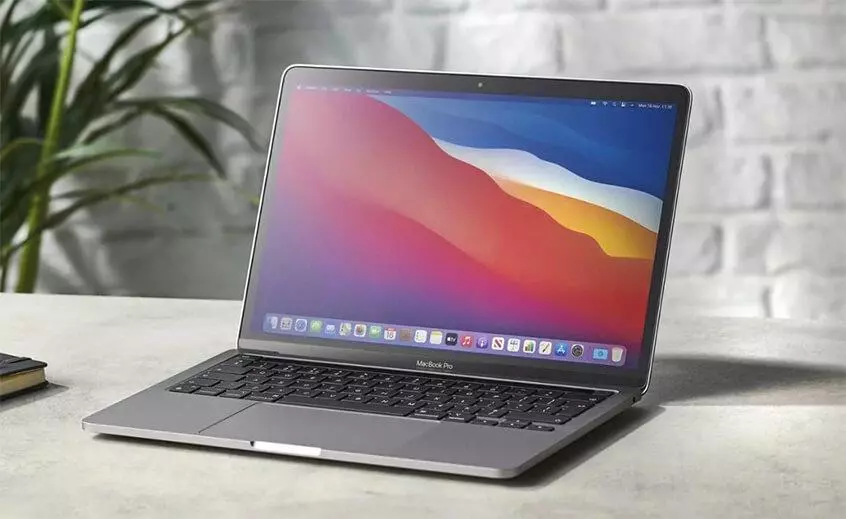
2. Apple MacBook Pro M1 13-inch
CPU: Apple M1 (8-core)
Graphics: Integrated 8-core GPU
RAM: 8GB Unified PDDR4X-4266 MHz SDRAM
Screen size: 13.3-inch
Resolution: 2560 x 1600 Retina display
Storage: 256 GB SSD
Connectivity: Wi-Fi 6, Bluetooth 5.0
Camera: 720p FaceTime HD webcam
Battery: 13 hours and 22 minutes
Weight: 3.0 pounds
Average price: $1500
Apple’s latest silicon laptops are receiving great reviews in the generalist mainstream tech media. The new M1 chip promises unprecedented speed, performance and battery life. However, does this mean musicians and studio owners should invest in these machines right away?
After spending more time with the M1-equipped laptops, we’re starting to think that yes. The M1 chip delivers a hugely optimised computing experience, combining CPU, GPU and memory into one chip. This greatly reduces power usage and delivers a significant boost in performance and battery life.
If you’re a musician who relies on software like Logic Pro X or Garageband, then the new Mac Pro is definitely worth considering. Its powerful specs and optimization mean that you’ll get the most out of your music software. However, if you use other software programs like Cubase or Live, the picture is less clear. Full support for those programs is coming soon, but in the meantime, there are some things you can do to get the most out of your Mac Pro. For example, you can use a third-party DAW like Reaper to run your music software. Reaper is fully compatible with MacOS and has many of the same features as more expensive DAWs like Cubase and Pro Tools. So if you’re looking to get the most out of your new Mac Pro, be sure to check out Reaper.
Apple MacBook Air M1
CPU: Intel Core i5-1235U (1.3GHz – 4.4GHz)
Graphics: Integrated Iris Xe
RAM: 8GB
Screen size: 13.3 inches
Resolution: 1920 x 1080 pixels
Storage: 256GB PCIe SSD
Connectivity: Wi-Fi 6, Bluetooth 5.1
Camera: 720P
Battery: 11 hours and 15 minutes
Weight: 2.56 pounds
Average price: $949
The new M1 chip inside the 2021 Apple MacBook Air has convinced us that for the majority of home producers, the argument between using an Apple MacBook Pro or an Air for music production can largely be put to bed. The Air’s slim form factor and weight make it a great option for producers who need to travel, and its processor is more than capable of handling most tasks involved in audio production.
The design of the new MacBook Air doesn’t appear to have changed much from past models, which some people may find disappointing. However, it still has great performance, and a few more USB ports would always be nice. Overall, it’s a great choice for those looking for a budget-friendly Apple laptop.
4. Dell XPS 13 OLED (2021)
CPU: 3GHz Intel Core i7-1185G7
Graphics: 128MB Intel Iris Xe Graphics
RAM: 16GB
Screen size: 13.4 inches
Resolution: 3456 x 2160
Storage: 512GB
Connectivity: Wi-Fi 6 (802.11ax), Bluetooth 5.2
Camera: 720P
Battery: 8 hours
Weight: 2.8 pounds
Average price: $1699
The Dell XPS line-up just got even better with the latest addition of the Dell XPS 13. Thin, light and powerful, it’s perfect for on-the-go creatives who don’t want to be restricted by Apple’s walled-garden. And with its sleek design and gorgeous screen, it’s also a great alternative to the Apple MacBook Pro.
The XPS range of laptops offers style, quality, and performance similar to that of the MBP, but with a Windows operating system. If you’re looking for a high-spec laptop that offers good value for money, then the XPS range is a great option.
The Dell XPS 2021 OLED is a great option for music makers and other people who need a powerful laptop. It comes with an updated 11th-generation Intel Core i5 or i7 processor, as well as a 4K OLED screen. This makes it perfect for watching films or just generally staring at in wonder.
The Dell XPS 13 is a great laptop for most people. If you need a bigger screen, then the 15” model is a good choice, but for most people the XPS 13 is more than enough.
5. MacBook Pro 16-inch (2021)
CPU: M1 Pro (10-core CPU, 16-core GPU) | M1 Max (10-core CPU, 32-core GPU)
If you’re looking for the best laptop for music production, the MacBook Pro 14-inch is a great option. But if you’re looking for a bigger screen, Apple also launched a 16-inch model that comes with essentially the same specs. The 16-inch model offers more screen real estate, which can be helpful when you’re working on music production projects.
The 16-inch MacBook Pro is an excellent laptop for music production, with a powerful processor and plenty of storage space. It also has great speakers and a microphone, as well as a range of ports so you can easily connect peripherals. The larger screen size makes it more comfortable to work on complex projects.
When it comes to the best laptops for music producers, there are a few things to consider. The first is screen size – while many producers prefer smaller laptops for portability, the 14-inch model offers more screen real estate, which can be helpful for certain tasks. The downside is that it’s larger and harder to carry around than the 13-inch model. Another factor to consider is price; the 14-inch model is more expensive than the 13-inch model. Ultimately, we think the 14-inch model is the best choice for most music producers, but it depends on your individual needs and preferences.
6. Razer Blade 15 Studio Edition
CPU: 2.3GHz Intel Core i7-10875H (8-core, up to 5.1GHz with Turbo Boost)
Graphics: Nvidia Quadro RTX 5000 with 16GB GDDR6 VRAM
RAM: 32GB DDR4
Screen size: 15.6 inches
Resolution: 3840 x 2400
Storage: 1TB SSD (PCIe, NVMe, M.2)
Connectivity: Intel Wireless-AX201 (802.11a/b/g/n/ac/ax), Bluetooth 5.1
Camera: 720p webcam
Battery: 6 hours 57 minutes
Weight: 4.6 pounds
Average price: $4299
The Razer Blade 15 Studio is a powerful laptop that is perfect for creative pursuits. It features beautiful visual touches like customizable RGB backlighting on the keys. However, it is also a powerful gaming laptop that demands attention. With its origins in the gaming world, the Razer Blade 15 Studio is the perfect tool for any creative professional.
7. Microsoft Surface Laptop 2
CPU: 1.6Ghz Intel Core i5-8250U
Graphics: Intel UHD Graphics 620
RAM: 8GB
Screen size: 13.5 inches
Resolution: 2256 x 1504
Storage: 256GB
Connectivity: 802.11ac Wi-Fi (2 x 2 MIMO), Bluetooth 4.1 (Low Energy)
Camera: 720p HD webcam with infrared for Windows Hello
Battery: 16 hours
Weight: 2.76 pounds
Average price: $1249
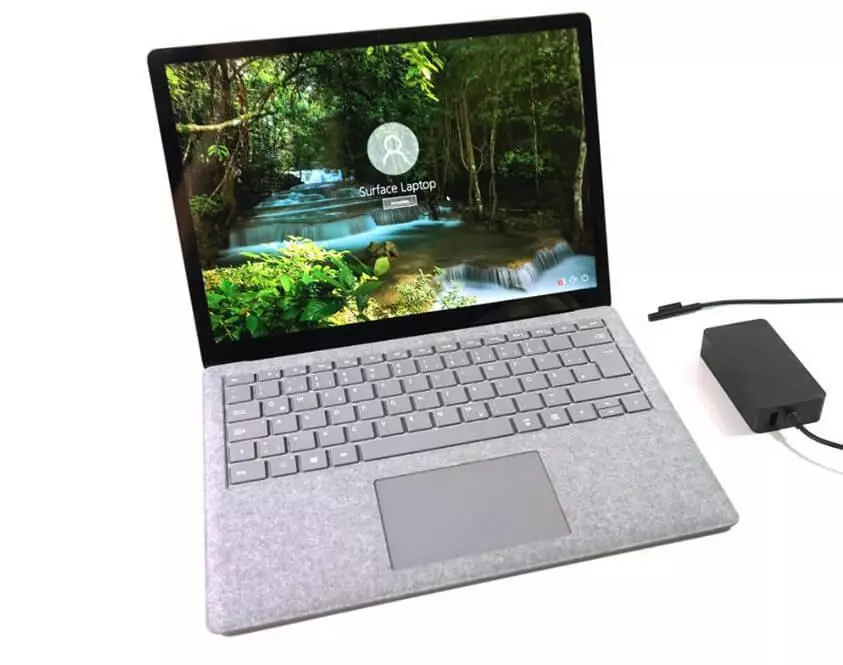
The Surface Laptop 2 is an excellent device, offering improvements in all the areas we were hoping for. The updated hardware brings serious performance benefits, making this a great choice for anyone looking for a pure laptop experience.
The Surface Laptop 2 is a great laptop for music production. It has a pure Windows 10 experience, and its build quality and design are excellent. If you’re not sold on the 2-in-1 nature of the Surface Book 2, but love Microsoft’s premium build quality and design, then the Surface Laptop 2 is the laptop for you.
8. Surface Laptop 4
CPU: Intel Core i7-1185G7 (12MB cache, up to 4.8GHz boost)
Graphics: Intel Iris Xe
RAM: 16GB LPDDR4x
Screen size: 13.5 inches
Resolution: 2256 x 1504
Storage: 512GB
Connectivity: Wi-Fi 6 802.11ax, Bluetooth 5.0
Camera: 720p HD webcam
Battery: 11 hours 2 minute
Weight: 2.79 pounds
Average price: $1000
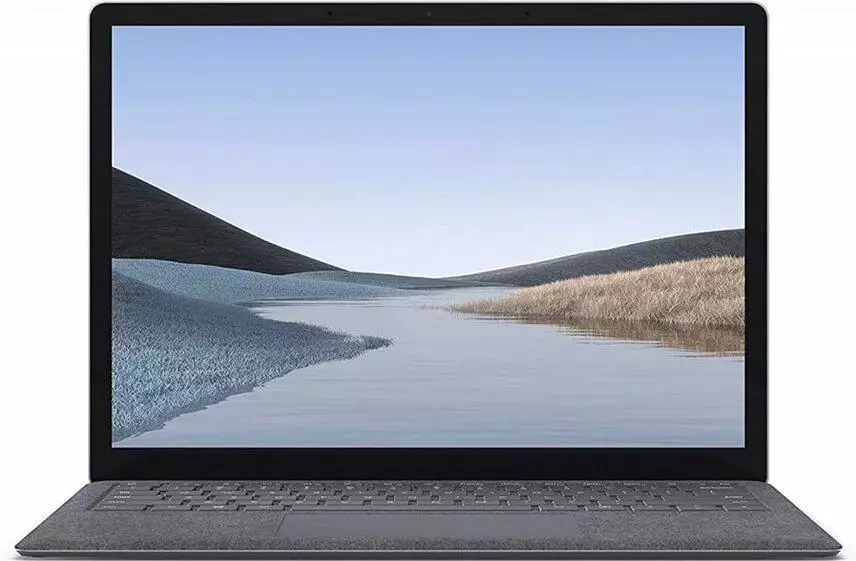
The Microsoft Surface Laptop 4 is a powerful and beautiful laptop that is perfect for students and professionals. It has a stunning screen and plenty of power, making it perfect for any task you need to complete. Plus, the design is premium and will look great in any setting.
The Microsoft Surface Laptop is a great device for music production. It has a long-lasting battery and powerful built-in speakers, and it runs Windows 11 flawlessly. Any music production app you want to use will run with ease on this laptop, making it the perfect tool for creating your next masterpiece.
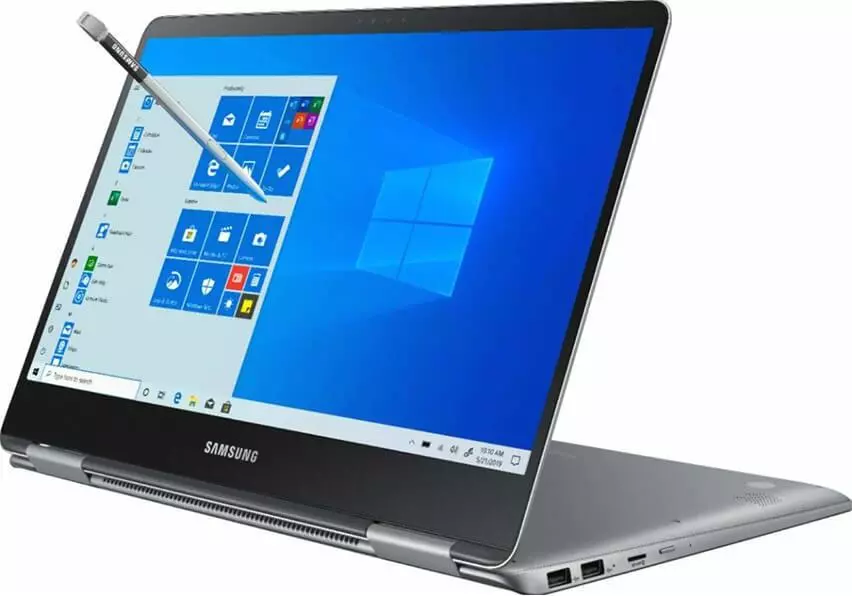
9. Samsung Notebook 9
CPU: 1.8GHz Intel Core i7-8550U (quad-core, 8MB cache, up to 4.0GHz)
Connectivity: Intel Dual-Band Wireless-AC 8265 Wi-Fi (2 x 2 antenna); Bluetooth 4.1
Camera: 720p HD webcam with internal mic
Battery: 12 hours and 41 minutes
Weight: 2.82 pounds
Average price: $1699
Samsung has crafted a laptop that has just as much style as it does substance. The Notebook 9 is one of the best laptops you can buy, thanks to its powerful specs and lightweight, thin design. While it may not have the best keyboard in the world, it’s still a great choice for anyone looking for a quality laptop at an affordable price.
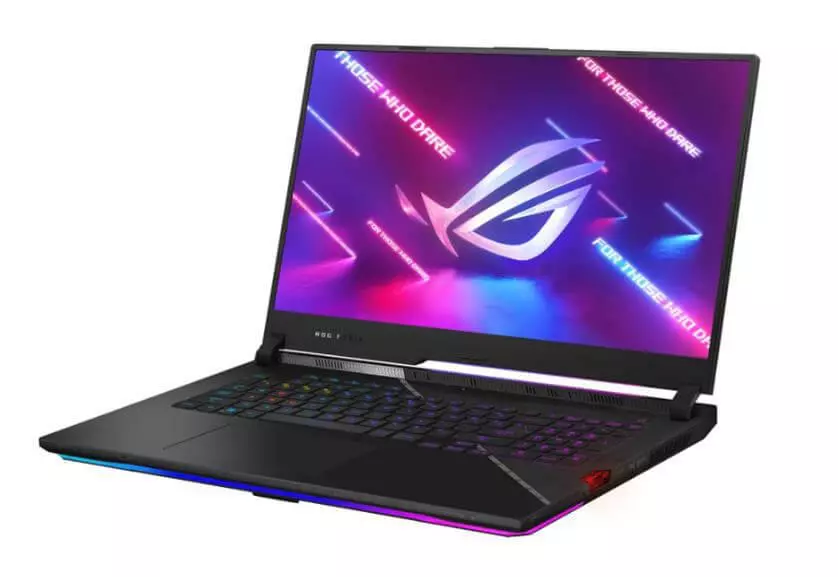
10. Asus Rog Strix Scar III Laptop
CPU: Intel Core i7-9750H
Graphics: Nvidia GeForce RTX 2060 GPU with 6GB of VRAM
RAM: 16GB
Screen size: 15.6 inches
Resolution: 1920 x 1080
Storage: 1TB SSD
Connectivity: Wi-Fi 802.11ac (2×2), Bluetooth 5.0, USB 3.0/2.0, USB 3.1, HDMI 2.0b, RJ-45
Camera: ROG Eye
Battery: 5 hours and 9 minutes
Weight: 4.3 pounds
Average price: $1799
If you’re looking for a powerful gaming PC that can also handle audio production tasks, you should consider the Asus Rog Strix Scar. This machine is packed with power, thanks to its Intel i7 processor and 16 GB of RAM. Plus, its lightweight design makes it easy to move around, which is ideal for studio use.
Hudson Mohawke, the Scottish electronic producer, is a known fan of the Asus Rog Strix Scar, and with good reason. This machine is capable of handling any audio production task you throw at it. So if you’re looking for a PC that can handle both gaming and music production, the Asus Rog Strix Scar is a great option.
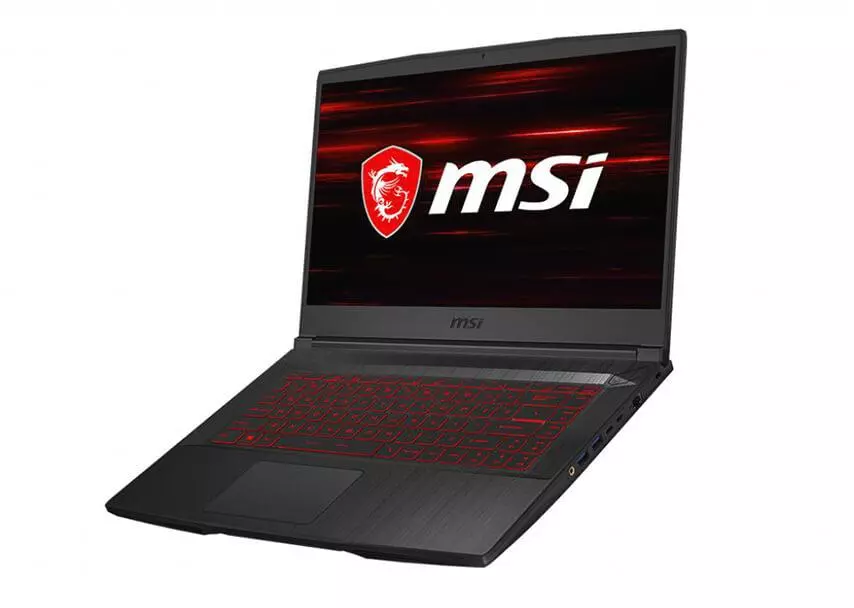
MSI is a respected name in gaming PCs, so it makes sense that their flagship mid-range offering features some impressive internals. The MSI GF63 is the perfect blend of performance and aesthetics, and would be an excellent laptop for anyone using their laptop for live performance or as a portable studio thanks to its thin form factor and cooling features.
The Dell Inspiron 15 7577 is a powerful and well-rounded laptop that is perfect for both work and play. It has a 2.4 GHz i5 processor, 8GB of DDR4 RAM, and room to house up to 64GB of additional RAM, making it more than capable of handling any task you throw at it. Additionally, the Inspiron 15 7577 features a sleek and stylish design that will look great no matter where you take it. So if you’re looking for a powerful and versatile laptop that won’t break the bank, the Dell Inspiron 15 7577 is a great option.
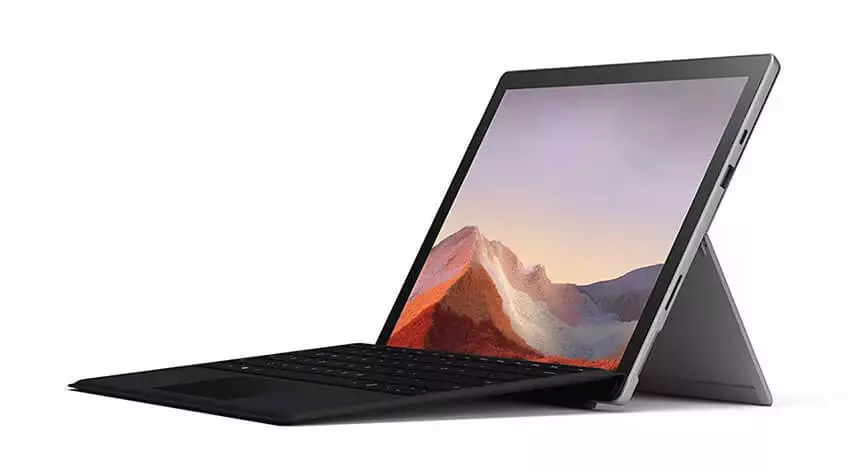
12. Microsoft Surface Pro 7
CPU: 1.1GHz Intel Core i5-1035G4 (quad-core, 6MB cache, up to 3.7GHz boost)
Graphics: Intel Iris Plus Graphics
RAM: 8GB DDR4x
Screen size: 12.3 inches
Resolution: 2736 x 1824
Storage: 56GB SSD
Connectivity: 802.11ax Wi-Fi 6 (2 x 2 MIMO), Bluetooth 5
Camera: 8MP rear-facing, auto-focus camera (1080p HD); 5MP front-facing, 1080p HD camera
Battery: 6 hours and 2 minutes
Weight: 1.7 pounds
Average price: $710
The Microsoft Surface Pro has always been a device that’s been in competition with Apple’s iPad. With the release of the Surface Pro 7, Microsoft is edging ever closer to bridging that gap. The Surface Pro 7 offers a great alternative to the iPad for creative professionals. It has a much more powerful processor, and it also comes with a stylus pen that allows you to draw and take notes on the screen.
A two-in-one device is never going to be as powerful as a dedicated PC or Mac, but it is perfect for portability. It is sleek and lightweight, making it easy to take with you wherever you go. Plus, the dual-function design makes it more versatile than other devices. Whether you are a student, business professional, or just need a computer for everyday tasks, a two-in-one is the ideal solution.
If you’re looking for a powerful and versatile device that can handle everything from music to work to everyday tasks, the Surface Book 2 is a great option. Its high price tag is the main downside, but for a device that can do it all, it’s worth considering. With up to 16 GB of RAM and an Intel i7 processor, it’s made for power users, and its quoted day of battery life is impressive.
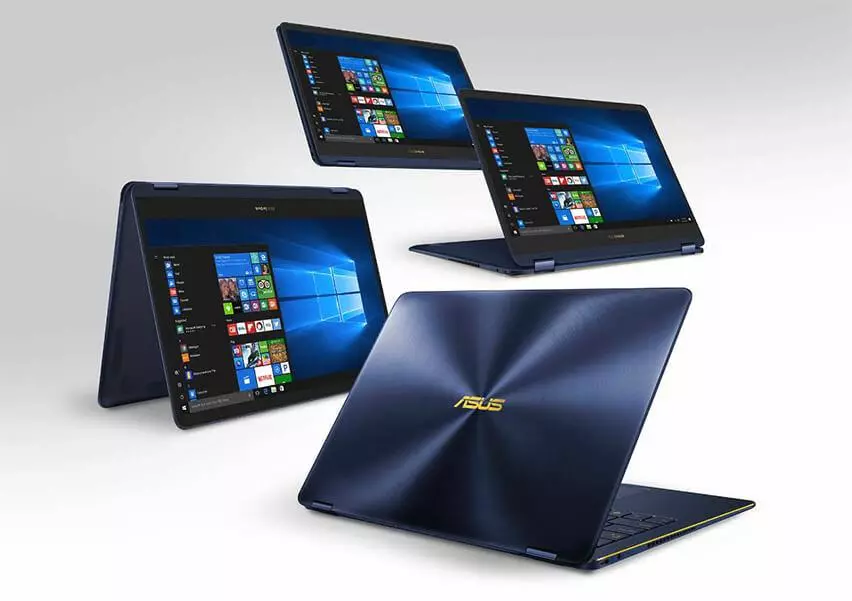
13. Asus ZenBook Flip S UX370 Laptop
CPU: 1.8GHz Intel Core i7-8550U (quad-core, 8MB cache up to 3.7GHz)
Graphics: Integrated Intel UHD Graphics 620
RAM: 16GB 2133MHz LPDDR3
Screen size: 13.3 inches
Resolution: 1920 x 1080
Storage: 512GB PCIe SSD
Connectivity: 802.11ac/b/g/n Wi-Fi, Bluetooth 4.1
Camera: 480p (VGA) webcam
Battery: 6 hours and 10 minutes
Weight: 2.42 pounds
Average price: $1500
The Asus ZenBook Flip S is a great laptop for music production. It has a new Kaby Lake R 8th-generation processor, plenty of RAM, and a super-fast PCIe SSD. This makes it an excellent choice for anyone looking for a laptop for music production. The only downside is that it’s not the cheapest option on our list. But if you’re looking for a high-quality laptop for music production, the Asus ZenBook Flip S is a great choice.
If you’re looking for a versatile and powerful laptop, the Asus ZenBook Flip S is a great option. Its 2-in-1 design means you can use it as both a laptop and a tablet, and while it’s not as affordable as some machines on this list, if you have the budget you’ll be really happy with this fantastic device.
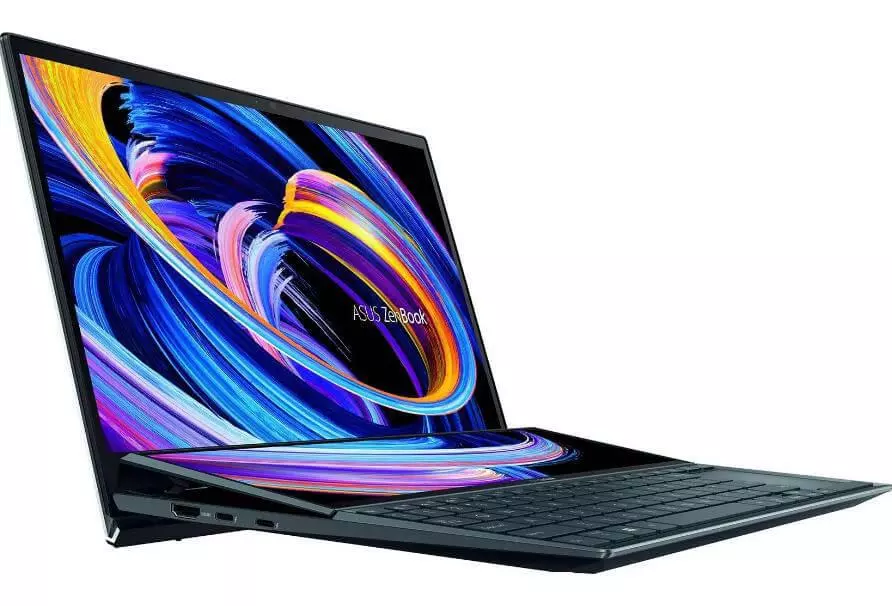
14. Asus ZenBook Pro Duo 15 UX582L
CPU: Intel Core i9-10980HK
Graphics: Intel GeForce RTX 3070
RAM: 32GB
Screen size: 15.6 inches
Resolution: 3840 x 2160
Storage: 512GB PCIe SSD, 1TB HDD
Connectivity: Wi-Fi 6, Bluetooth 5.0
Camera: 720p Webcam
Battery: 4 hours 40 minutes
Weight: 5.16 pounds
Average price: $3000
The Asus ZenBook Pro Duo 15 UX582L is a great choice for anyone looking for a powerful laptop for music production. It comes with some impressive specs, including a choice of Core i7 or i9 Intel processors, and its unique design includes a second screen above the keyboard. This extra screen can be really useful for keeping track of your project while you work, which can help to improve your productivity.
The Asus ZenBook Pro Duo 15 UX582L is a touchscreen laptop that comes with some extra music production controls, such as sliders for mixing tracks. This can give the laptop a level of versatility that other laptops lack. Additionally, both screens on the ZenBook Pro Duo 15 UX582L are OLED, which means they look absolutely stunning.
The Asus ZenBook Pro Duo 15 UX582L is a unique laptop that comes with some great features, but it may not be for everyone. It’s more expensive than other laptops on this list, and the battery life is impacted, so you’ll need to make sure you carry around the power supply if you’re planning on using this out and about. However, the unique design won’t be for everyone, and it does make the Asus ZenBook Pro Duo 15 UX582L a great choice for anyone who wants something different.
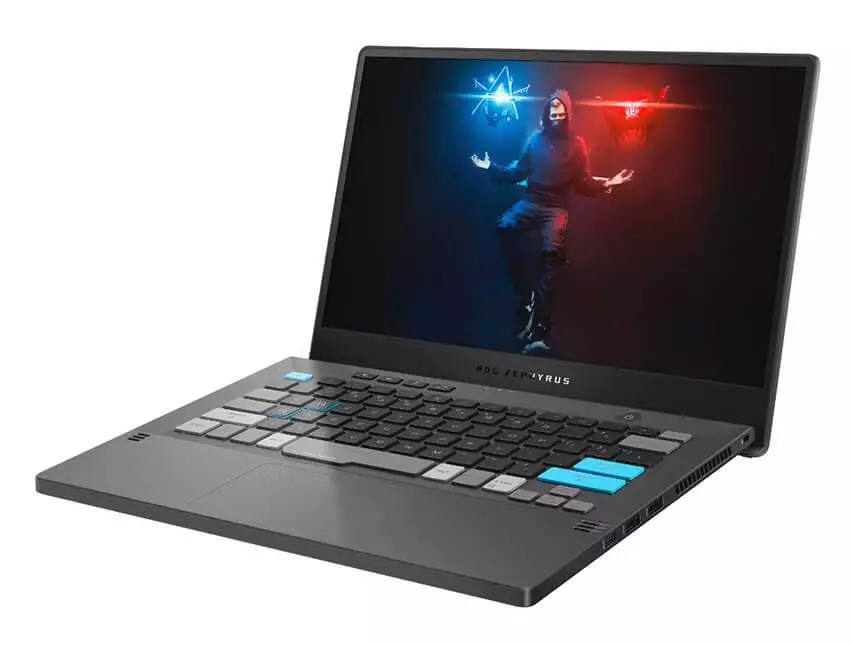
15. Asus ROG Zephyrus G14 Alan Walker Special Edition
CPU: Intel Core i9-10980HK
Graphics: Intel GeForce RTX 3070
RAM: 32GB
Screen size: 15.6 inches
Resolution: 3840 x 2160
Storage: 512GB PCIe SSD, 1TB HDD
Connectivity: Wi-Fi 6, Bluetooth 5.0
Camera: 720p Webcam
Battery: 4 hours 40 minutes
Weight: 5.16 pounds
Average price: $3000
The Asus ROG Zephyrus G14 Alan Walker Special Edition is a laptop designed in collaboration with the popular YouTube DJ. Not only does this mean it has exclusive colours compared to the regular Zephyrus G14 laptop, but the actual box it comes with can be used as a controller for mixing or as a synth pad that connects through USB-C to use with a dedicated app.
This means you can start creating straight away, but if you think this is a gimmick, or you already have your own equipment, then you’ll find this laptop to still be an excellent investment, with plenty of ports and some decent specs that means it’ll handle any music production app with ease.
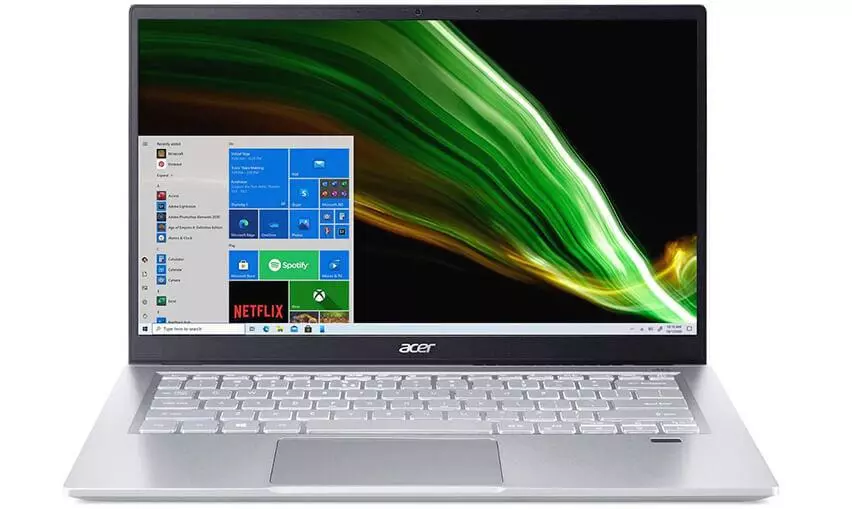
16. Acer Swift 3
CPU: Intel Core i5-1135G7
Graphics: Intel Iris Xe Graphics G7 80EUs
RAM: 16GB
Screen size: 14 inches
Resolution: 1920 x 1080
Storage: 512GB
Connectivity: Wi-Fi 6, Bluetooth 5.0
Camera: 720p
Battery: 9 hours 9 minutes
Weight: 2.68 pounds
Average price: $562
Ultrabooks used to be incredibly expensive, but with the Acer Swift 3, that’s no longer the case. This laptop has an all-aluminum chassis like the Acer Swift 7, but it’s been fitted with more affordable components to make it more accessible to everyone. So if you’re looking for a high-quality Ultrabook that doesn’t break the bank, the Acer Swift 3 is definitely worth considering.
The Acer Swift 3 is a great alternative to the MacBook Air. It has a much better price tag and offers comparable performance. However, there are a few corners that were cut in order to keep the price down. For example, the display is not Ultra HD and the sound quality is not as good. Despite these drawbacks, the Acer Swift 3 is still a great choice for those looking for a good laptop at a reasonable price.
The Acer laptop is a powerful device that comes with a stylish design. It’s perfect for using anywhere, anytime. The built-in processor and graphics card ensure good performance.
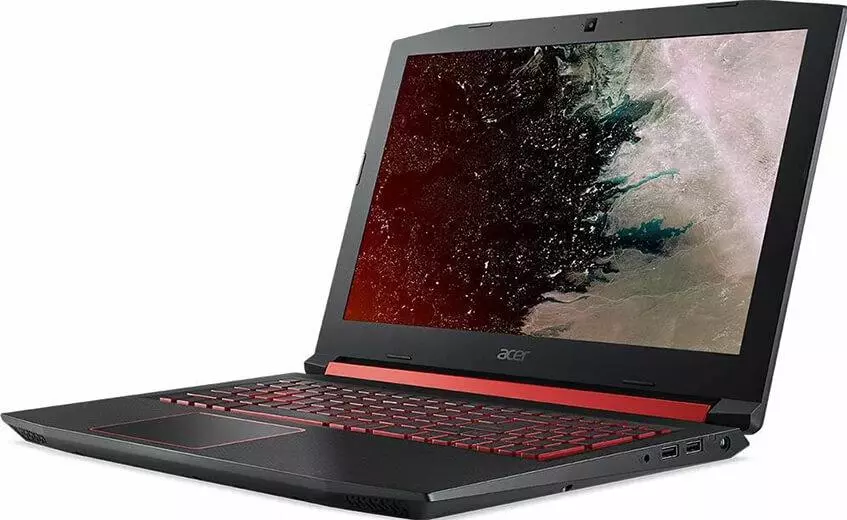
The Acer Nitro 5 Spin offers a great experience for users who need a powerful and versatile laptop. This laptop comes with a backlit keyboard with a dedicated NitroSense key, which makes it easy to use. It also provides impressive audio quality, with clear sound and intelligent bass that allows you to enjoy your music more efficiently. The laptop also comes with a built-in Alexa that can help you with your daily activities, such as setting reminders, creating to-do lists, and more. The full HD IPS display on this laptop provides better viewing experiences and wider viewing angles. And finally, the laptop is equipped with dual fans to boost the cooling process and keep the device running smoothly.
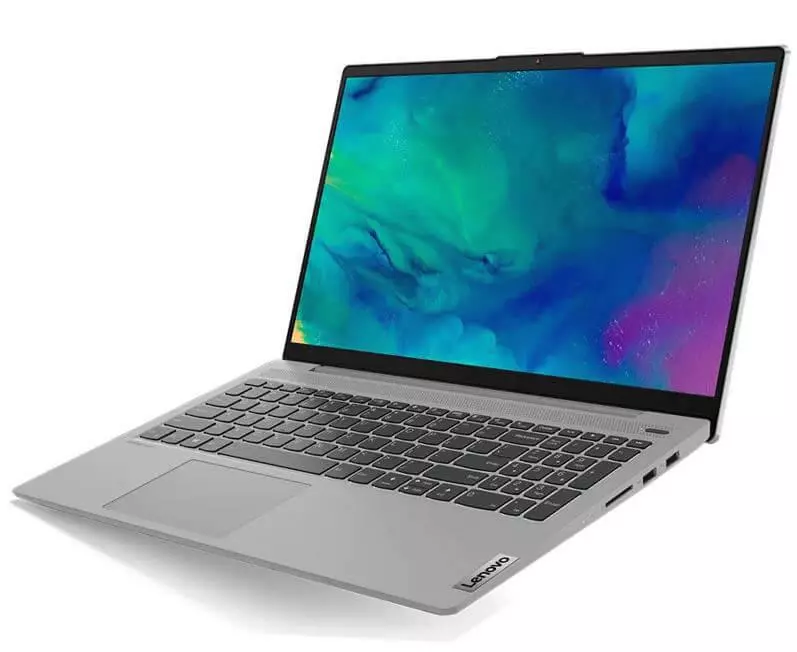
18. Lenovo IdeaPad 3 15.6 Inch Laptop
CPU: AMD Ryzen 5 5300U
Graphics: Integrated AMD Radeon 7 Graphics
RAM: 8GB
Screen size: 15.6 inches
Resolution: 1920 x 1080
Storage: 256GB
Connectivity:
Battery: 3 hours 30 minutes
Weight: 3.75 pounds
Average price: $439
Lenovo is one of the most reliable and popular laptop brands in the market. It offers stunning laptops with amazing features, perfect for everyday use. This particular laptop is designed with AMD processors, ensuring great performance for all your needs.
The Lenovo IdeaPad 3 is a great laptop for anyone who needs high performance and long battery life. It’s thin and light, making it easy to take with you, and it provides fast performance so you can get things done without any interruption. It’s perfect for creators and gamers who need a powerful machine that can keep up with their demanding needs.
IPS display technology provides a viewing angle of 120Hz, making the Lenovo IdeaPad 3 15.6 an optimal choice for enjoying high-quality visuals and impressive sound. The laptop is equipped with efficient cooling technology, making it a convenient choice for users.
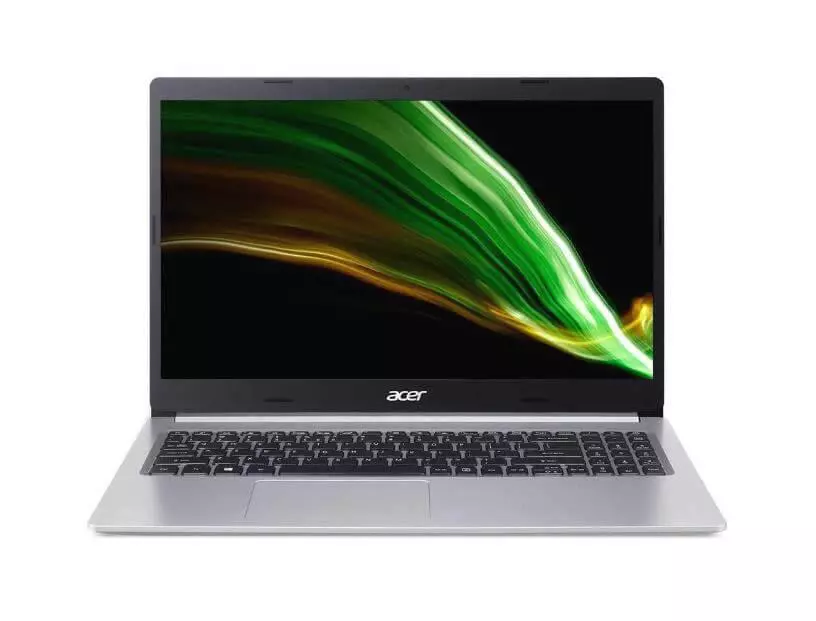
19. Acer Aspire 5 15.6 Inch Laptop
CPU: Intel Core i5-1135G7
Graphics: Intel Iris Xe
RAM: 8GB
Screen size: 14 inches
Resolution: 1920 x 1080
Storage: 256GB
Connectivity: 2x USB 3.2 Type-A, 1x USB 2.0 Type-A, 1x USB 3.2 Gen 1 Type-C (data only), 1x Ethernet, 1x HDMI 1.4, 1x 3.5mm combo audio, 1x DC-in barrel plug
Camera: 720p
Battery: 6 hours 30 minutes
Weight: 3.75 pounds
Average price: $500
Its powerful AMD processor ensures that you can perform any task you need to, while its comfortable keyboard allows you to unleash your creativity. The Acer Aspire 5 laptop is a great choice for everyday use. It has a slim and attractive design, and it’s easy to use. Whether you’re working on a project or just browsing the web, the Acer Aspire 5 is perfect for you.
The laptop has a thin and lightweight design that makes it easy to carry with you wherever you go. The full HD 15.6 inch display provides clear images and wider viewing angles, making it the perfect device for watching movies or playing games. With its powerful hardware, the laptop is capable of handling even the most demanding tasks.
The Acer Aspire 5 has some great features, like high-quality speakers for deep bass and crystal-clear sound, and a premium look with the aluminum top cover. Plus, the keyboard comes with a backlit feature so you can work in low-light conditions. All in all, it’s a great computer for anyone looking for quality features.
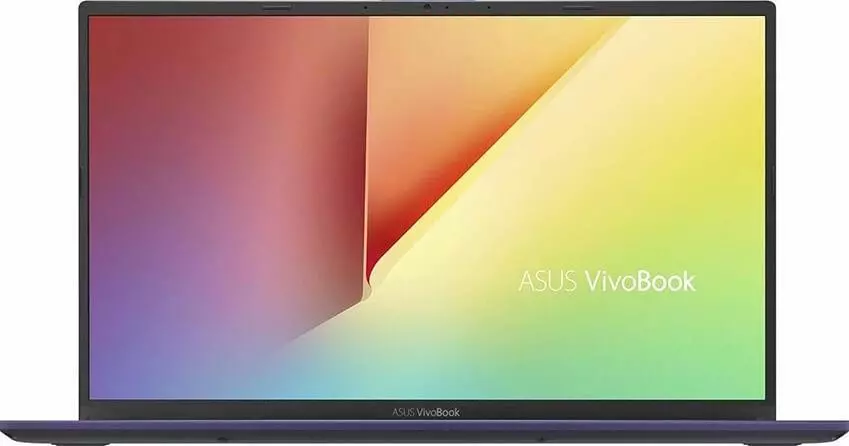
20. Asus VivoBook 15 15.6 Inch Laptop
The Asus VivoBook 15 laptop is a great choice for people who are looking for a sleek and slim design. It has a four-sided NanoEdge display that gives it a premium look, while also providing a better experience overall. This laptop is compact and lightweight, making it easy to carry with you wherever you go. Plus, the ErgoLift hinge ensures that the display will stay at any angle without any problems.
The Asus VivoBook 15 has a comfortable and sturdy backlit keyboard that provides an enhanced typing experience. Furthermore, there is a fingerprint sensor on the touchpad for improved security and to let you unlock the device with a single touch.
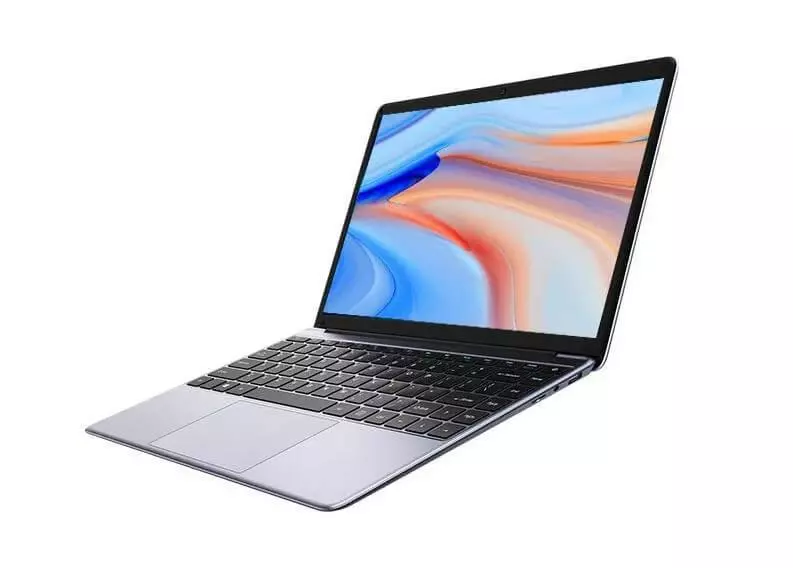
21. Chuwi HeroBook Pro
CPU: Intel Celeron J3455
Graphics: Intel UHD 600
RAM: 8GB LPDDR4
Screen size: 14.1 inches
Resolution: 1920 x 1080
Storage: 256GB
Connectivity: Wi-Fi 802.11b/g/n, Bluetooth 4.0
Weight: 3.06 pounds
Average price: $199
This laptop is perfect for anyone who travels frequently. It has a slim and lightweight design, so you can take it with you wherever you go without any trouble. Plus, it comes with a number of features that will make your productivity soar. So if you’re looking for a great travel-friendly laptop, this one is definitely worth considering.
It Pro is a great choice for people who need a reliable and lightweight laptop. It has a thin and slim design, making it easy to carry with you on the go. Plus, it comes with useful features that will improve your productivity. So if you’re looking for a great travel-friendly laptop, the Chuwi HeroBook Pro is definitely worth considering.
Chuwi HeroBook Pro is a great laptop choice for business or personal use. It has a sleek, borderless design that makes it easy on the eyes and also provides a more comfortable typing experience. The Intel CPU ensures smooth performance, while the large touchpad makes navigation a breeze. What’s more, the laptop comes with fast charging technology so you can get back to work quickly.
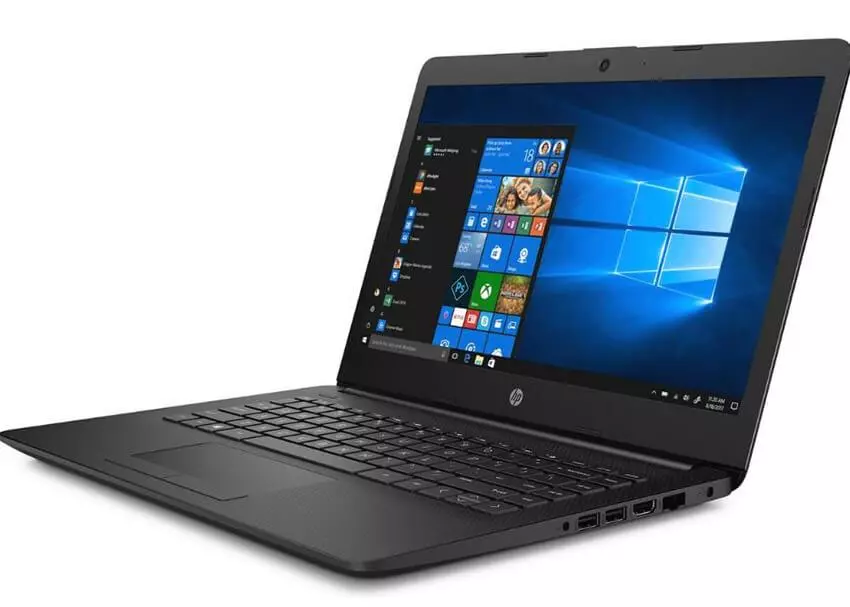
22. HP 14 Inch HD Laptop
The HP laptop is a reliable and attractive option for anyone looking for a new computer. It features narrow bezels, making the screen feel wider and brighter. This makes it an ideal choice for watching videos or completing other tasks.
If you’re looking for a laptop that provides seamless performance and a smooth running experience, then a Solid State Drive is the way to go. This type of drive ensures quick file access and easy opening and closing of programs. Plus, the white color design on this laptop is sure to stand out in any workspace. It also comes with Windows 10 Home pre-installed, but can be upgraded to Windows 10 Pro if needed.
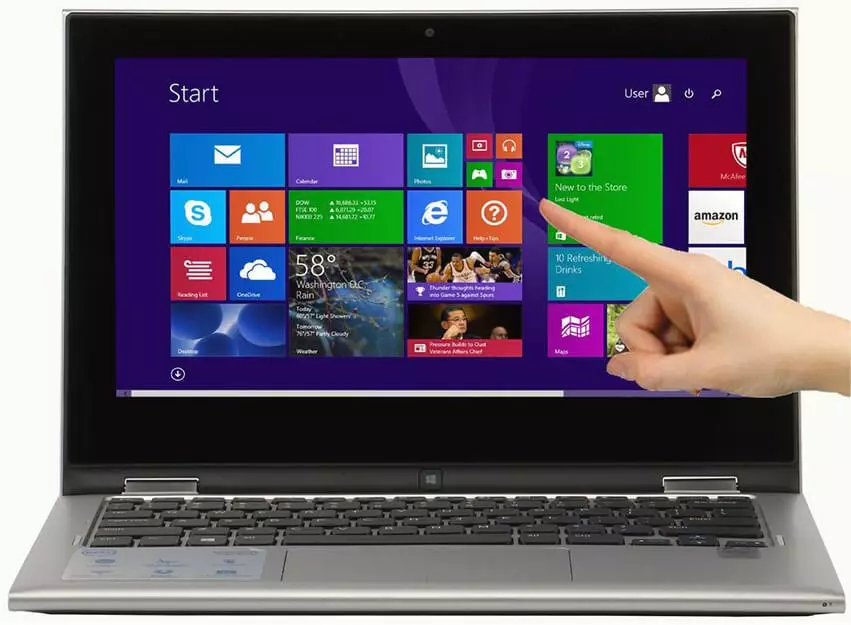
23. Dell Inspiron 3000 Touchscreen Laptop
CPU: Intel Core i7-1165G7
Graphics: Intel Iris Xe
RAM: 8GB
Screen size: 15.6 inches
Resolution: 1920 x 1080
Storage: 128-512GB
Connectivity: 802.11ac 1×1 Wi-Fi, Bluetooth
Camera: Front-facing 720p, 30 FPS
Battery: 6 hours
Weight: 3.82 pounds
Average price: $410
The laptop mentioned above is an excellent choice for those looking for high performance and features. It comes with Windows 11 pre-installed, as well as 16 GB of RAM for a smooth experience. Additionally, the Intel processor and graphics make using the laptop a breeze.
The laptop has a 1 TB SSD to provide you with enough storage for all of your needs. It is ideal for multitasking, meaning it can be used for any application you need. With its compact design and lightweight frame, it is easy to carry with you wherever you go. Plus, it has all the necessary ports for easy connectivity.
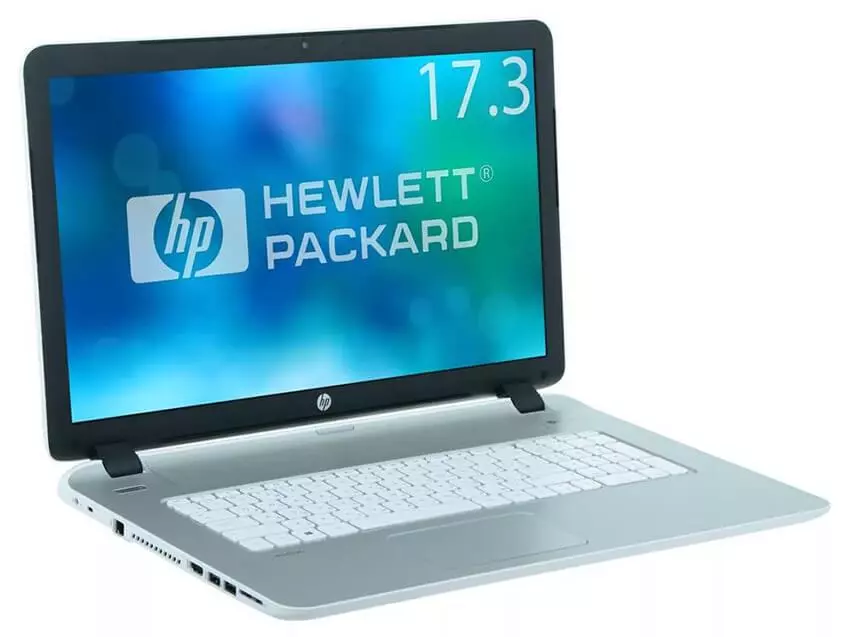
24. HP Pavilion 17.3 Inch FHD Laptop
This is an excellent laptop from HP, with a unique and stylish design that provides a great user experience. It comes with a backlit keyboard and numeric keypad for an improved typing experience, as well as a high-quality HD webcam for online classes, meetings, and video calls.
The 17.3-inch IPS display on this laptop provides a brightness of up to 300 nits, features an anti-glare coating, and comes with two high-quality speakers for an improved audio experience. This laptop also comes with 16 GB RAM and 1 TB SSD storage, making it a powerful and reliable device for your computing
25. Dell Inspiron 13 5310 13.3 Inch QHD Laptop
CPU: Intel Core i7-1165G7
Graphics: Intel Iris Xe
RAM: 8GB
Screen size: 15.6 inches
Resolution: 1920 x 1080
Storage: 128-512GB
Connectivity: 802.11ac 1×1 Wi-Fi, Bluetooth
Camera: Front-facing 720p, 30 FPS
Battery: 6 hours
Weight: 3.82 pounds
Average price: $410
The Dell laptop is designed with a superior processor for a better experience. It is also lightweight and easy to carry, making it perfect for on-the-go use. Plus, its aluminum metal body is sturdy and features a beautiful platinum silver color.
The Dell Inspiron 13 5310 comes with a modern standby feature so that you can get your laptop ready for use at any time. It also has dual fans and an improved thermal design for better cooling. In addition, the hinge is designed to lift so that proper airflow can happen under the laptop. This laptop also comes with a modern standby feature, which means you can get your laptop ready for use at any time.
Which CPU is the Best for Making Music – Intel, AMD or Apple?
A faster processor can handle more tasks being thrown at it and it can process those tasks a lot quicker. For example, an audio file will render one minute quicker using the faster of two processors. However, over time this can add up significantly.
If you frequently find yourself working with large files or running multiple programs at once, a faster processor will make a big difference. It will also help your computer run more smoothly overall. So if you can afford it, upgrading to a faster processor is a great way to improve your computing experience.
Both Intel and AMD processors are popular in the CPU world. Intel processors are available in a wide range of speeds, from the lesser powerful i3 to the more powerful i9. The most common processors are the i3, i5, and i7 variants. Within those tiers, there are different speeds ratings, as well as the option to turbo-boost when needed. Ryzen processors from AMD are popular among gamers and follow a similar nomenclature to Intel versions (e.g. R3, R5).
Apple has always been a company at the forefront of innovative design and technology. In recent years, they have released machines with an M1 chip inside them. This chip combines many of the machine’s internal components onto a single chip, resulting in incredible power and overall system efficiency. This has since been further succeeded on Apple’s newest machines with the M1 Pro and M1 Max chips. These chips offer even more power and efficiency, making them ideal for creative pursuits. Apple’s commitment to innovation and design is what sets them apart from the competition and keeps them at the forefront of the tech industry.
Logic Pro X users on an M1-based machine are currently at the head of the DAW pack in terms of performance and processing grunt. This is thanks to the gains made by Apple in recent updates to both Logic Pro X and the macOS operating system. These improvements offer best-in-class performance and processing power, as well as longer battery life and other optimizations.
However, many third-party software brands have not yet made the switch to native M1 support. This means that their products may not be able to take full advantage of the increased performance and processing power available on M1-based machines. While some big names like Ableton and Akai have already made the switch, others, like Native Instruments, are still working on optimizing their catalogues.
If you’re looking to buy a new MacBook, then you’re likely wondering which one is the best option. The answer to that question depends on your needs and what you’re looking for in a laptop. If you’re currently using an older model of MacBook, then it might be worth considering upgrading to a newer generation model – in particular, one that supports Apple’s new M1 chip.
The M1 chip offers a number of advantages over previous generations, including improved performance and better battery life. So if you’re looking for a laptop that will give you an upgrade in terms of speed and efficiency, then an M1-equipped MacBook is the way to go.
Of course, before making any decisions, it’s important to do your research and make sure that the model you’re considering is right for you. With that in mind, we’ve put together a list of the best M1-equipped MacBooks currently on the market, to help you make an informed decision.
How Much RAM Does a Music Making Laptop Need?
RAM is important for multitrack sessions because it helps to ensure that audio playback is smooth and glitch-free. This is because the computer can access the audio files more quickly when they are stored in RAM, rather than having to grab them from the hard drive each time they are played. For this reason, it is important to have as much RAM as possible when working with audio applications, particularly those that involve a lot of recorded audio.
DDR4 memory is becoming more and more popular, as it offers faster speeds and larger capacities than its predecessor, DDR3. If you’re buying now, with the next few years of use in mind, we’d suggest 8GB of DDR4 memory is the absolute minimum you should be looking for. Ideally, you’d want 16GB, as this will handle much larger arrangements, although there is a cost to this extra resource.
DDR4 memory offers many benefits over DDR3, including higher data rates, lower power consumption, and increased memory capacity. When choosing DDR4 memory, it’s important to consider the amount of RAM you need, as well as the speed and latency of the memory.
If you’re looking for the best possible performance, you’ll want to choose a RAM with a high data rate and low latency. However, if you’re on a budget, you can still get good performance by choosing a lower data rate and higher latency RAM.
When it comes to capacity, 8GB is the minimum we recommend, but 16GB is ideal. This will give you plenty of room to grow, and will ensure that your system can handle even the most demanding applications.
To sum it up, when choosing DDR4 RAM, capacity, data rate, and latency are the most important factors to consider. Make sure you get enough RAM for your needs, and choose a RAM with a high data rate and low latency for the best possible performance.
When choosing a laptop, it’s important to consider how upgradable it is. For example, Apple laptop fans won’t have the luxury of upgrading their RAM, due to the sealed chassis, but laptop PC users might. Therefore, it’s worth investigating whether the laptop you choose can be upgraded with extra RAM in the future.
How Much Storage Does a Laptop for MusicProduction Need?
When it comes to choosing a storage device for your audio applications, there are a few things to consider. The first is whether you need a lot of storage space or not. If you don’t have a lot of audio files, then a traditional hard disk drive (HDD) will do the job. However, if you need a lot of space for things like sample libraries, then you’ll want to consider using a solid state drive (SSD). The benefit of SSDs is that they have a much faster data transfer rate, meaning files will load quicker. Although they are slightly more expensive than HDDs, the extra expense is totally justified for music production applications.
SSDs, particularly those that take advantage of USB-C technology, are more than capable of the types of transfer speeds required for music production. External hard drives can be used to store files, photos and videos, and they also have the added benefit of being able to be easily carried around. This makes them ideal for people who need to access their data on the go.
In Conclusion
Producing music can be a difficult task, particularly if you don’t have the right tools. A good laptop is essential for music production, as it needs to be able to handle the high-quality processing required. There are many different laptops on the market that can be used for music production, but not all of them are created equal. To help you choose the best laptop for your needs, we’ve compiled a list of some of the best options available. We hope this will help you make the right decision for your audio applications.
FAQ
RAM size is an important factor to consider when choosing a laptop. 8 GB is enough for normal tasks and smaller projects, but if you have bigger projects in mind, you’ll need to upgrade to 16 GB. This will ensure that your computer has enough memory to handle the workload.
The best laptops for audio applications have either Solid State Storage (SSD) or a combination of SSD and Hard Disk Drive (HDD) storage. SSD storage is faster and more reliable than HDD storage, so it is the better option for audio applications. However, HDD storage is also good to use, and can be combined with SSD storage to get the best of both worlds.
When choosing the best laptop for music production, it is important to consider your specific needs. If maximum memory and performance is a priority, then the Dell Inspiron 3000, equipped with a touch screen, will be an excellent option. However, if you need maximum specifications, speed, and power, the Apple MacBook Pro with M1 Chip is a better choice. Ultimately, the best laptop for you depends on your individual requirements.
Processor, RAM, Battery life, Connectivity, and Storage are some of the most important factors to consider when buying a laptop. Processor and RAM are essential for running applications, while Battery life, Connectivity, and Storage determine how you will use your laptop.
Dell Inspiron 13 5310 13.3 Inch QHD is perhaps the best among the rest in this regard.
Author
Antony Tornver
Published
June 28, 2022
audio tech
Make Music Now.
No Downloads, Just
Your Browser.
Start creating beats and songs in minutes. No experience needed — it's that easy.