Shift Pitch Online: Fix Vocals, Transpose Audio, and Build Harmonies


Pitch shifting is the process of raising or lowering the pitch of audio in semitone steps without changing the tempo or duration of the recording.
Whether you found a sample that fits your track perfectly except it's in the wrong key, recorded a vocal take where one syllable landed a semitone flat, or want to build a harmony from a single vocal line — pitch shifting is the answer in all three cases. And you can do all of this online directly inside Amped Studio in your browser without installing anything.
In this guide, we cover:
- How pitch shifting works in general
- How to transpose a sample or loop to match your project key
- How to fix an off-key moment in a vocal recording
- How to build lush harmonies from a single vocal track
- When a dedicated pitch shifting plugin might give better results — and how to use one inside Amped Studio
What Pitch Shifting Actually Is
A musical pitch is simply a note — A, B, C, and so on. When you pitch shift audio, you move those notes up or down by a number of semitones. A semitone is the smallest standard unit of pitch in Western music — the distance from one key to the next on a piano.
Twelve semitones equal one octave. Shift something up by 12 semitones and it sounds one octave higher. Shift it up by 7 semitones and it moves up a perfect fifth. During pitch shifting the tempo stays the same. This is what separates pitch shifting from simply speeding up or slowing down audio. On tape, pitch and speed were locked together — faster playback meant higher pitch, slower playback meant lower pitch. Today, pitch-shifting and time-stretching can be done separately.
Fun fact: studio engineers of the past actually used this creatively this to their advantage. To record a technically difficult guitar solo they would sometimes do a secret trick: if your musician is struggling with a complex solo, slow the tape machine to half speed and have him play the part one octave lower. At half speed, the tempo was relaxed enough to nail every note cleanly. Hit play at normal speed and the recording came back at the right pitch, the right tempo, and perfectly articulated — no missed notes, no rushing.
Going back to the modern digital pitch shifting — it is not entirely without cost. Large shifts — typically beyond five or six semitones, especially on complex audio like a full mix — can introduce artifacts: subtle digital smearing, a slightly metallic quality, or mild phasing. For small corrections of one to three semitones on clean recordings, this is rarely audible. We'll address managing artifacts in more detail below.
Use Case 1: Transposing a Sample to Match Your Project
So you found the right loop — the groove, the texture, the energy. But it's in D minor and your project is in F minor. That's a difference of three semitones.
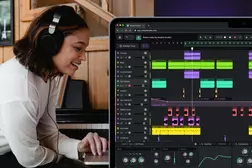
Most people searching for an online pitch shifter for MP3s have a simple problem: a file in the wrong key. In Amped Studio, you double-click the audio clip you dragged onto the timeline to open the Audio Editor window, toggle the Pitch Editor on and shift the horizontal line representing pitch up by three semitones. Once that is done your loop will now play back in F minor — same tempo, no re-recording.
More usefully, you will be able to hear it in the context of your project — against your actual drums, bass, and chords in real time. A standalone pitch converter could change the key of your sample online just as well, but it won't tell you whether the result actually works in your mix.

Use Case 2: Correcting an Off-Key Vocal Note
Even professional singers miss notes. Home studio recordings enthusiasts like us miss them even more. A performance might be emotionally right, timing-perfect, and expressive — except one syllable landed a semitone flat (or sharp).
Re-recording the whole take for one syllable is inefficient. The standard approach in modern production is to split out just the problem section to correct the mistake in it, leaving the rest of the take intact.
Here's what that looks like in practice. You find the moment in the waveform where the pitch is off. You zoom in split the audio clip at the beginning and end of that very syllable — usually a region of less than a second. You select that short clip, open the Pitch Editor, and shift it up by one semitone, listen, compare and re-adjust.
This is entirely achievable in Amped Studio, directly in your browser, as part of your existing project. You don't an external tool and messing with exports and re-imports. The edit is part of your session, non-destructive, and adjustable at any point. Recording your vocals and correcting them both happen in the same environment.
For singers who record at home and aren't yet fully confident in their pitch accuracy, this is a subtle but big workflow improvement. You don't need a perfect take. You need a good one — and the Pitch Editor helps you with mistake corrections.
Use Case 3: Building Harmonies from One Vocal Track
You succesfully recorded one vocal line? Try pitch shifting to turn it into a three-part harmony.
Layered pitch-shifted harmonies are a standard technique in pop, soul, R&B, and electronic production. The idea is simple: duplicate your vocal track, shift the copy by a specific musical interval, and blend the two. The result is a or harmony built from a single performance, without any additional recording.
The most useful intervals for this are:
+7 semitones (a perfect fifth above) — adds brightness without competing with the lead
-5 semitones (a perfect fourth below) — adds depth and weight
+12 semitones (one octave above) — a clean doubling with an airy, open quality
-12 semitones (one octave below) — adds body to thinner vocal tones
In practice, the shifted copy sits best at 6–10 dB quieter than the lead vocal. Panning it to the left or right — while keeping the lead centered — gives the stack a wider, more three-dimensional presence in the mix. Two harmony layers, panned to different sides with the main vocal in the center creates a sound that feels lush and big compared to the single original vocal.
One thing to know: shifting a vocal by more than five or six semitones can affect its formants — the resonant qualities that make a voice sound natural and human. At +7 semitones, a harmony track might develop a slightly synthetic character. In a mix, sitting 6–10 dB under the lead and panned to one side, this often doesn't matter. But if naturalness is a priority, a dedicated plugin with formant correction gives you more control. More on that below.

How to Pitch Shift in Amped Studio — Step by Step
Here is the full workflow for pitch shifting audio in Amped Studio without changing the tempo:
Import your audio or record mic signal. To import an audio file drag your file into the Amped Studio timeline, or use the Import option in the sidebar. MP3, WAV, FLAC, OGG and AIFF formats are supported.
Select the clip. Click on the audio clip in the timeline to select it.
Open the Audio Editor. The Audio Editor panel appears on the left side of the interface.
Enable Pitch Editor. Toggle the Pitch Editor switch on. A horizontal line appears across the waveform display.
Set the semitone value. Drag the line up to raise the pitch, or down to lower it. The semitone value is displayed directly on the waveform — for example, +5 or -7.
Play back in context. Press Play and listen with the rest of your project. Adjust the value as needed.
For vocal correction on a specific region:
First, split the audio clip at the beginning and end of the section to correct. Right-click on the clip for split options, or use the split tool in the toolbar.
Select only the short clip you split out.
Apply the Pitch Editor to that region alone.
Play the full phrase back to confirm the correction.

Amped Studio's Pitch Editor is non-destructive. You can change the value or disable it at any time without affecting the original audio file.
When to Use a Dedicated Pitch Shifting Plugin
Amped Studio's built-in Pitch Editor covers the most common pitch shifting scenarios well — key transposition for samples, small vocal corrections, and harmony layering. For most sessions and most users, it's the right place to start.
There are situations where a specialized pitch shifting plugin gives you more:
You're shifting by more than 5–6 semitones and want to minimize artifacts
You need formant control — keeping the vocal timbre natural even at larger shifts
You want harmonizer-style processing, where the plugin generates intervals intelligently based on a set key and scale
You simply want to explore more advanced options, perhaps to new creative effects
Amped Studio supports VST3 plugins via its VST Remote bridge, which means you can connect third-party plugins and run them directly in your browser-based session. Here are some of our favorite time-tested best free pitch shifting VSTs currently available:

Graillon 2 by Auburn Sounds is widely considered one of the top free pitch shifting VSTs for vocal work. Its free tier includes both pitch shifting and pitch correction, and it handles formants better than a simple semitone shift does — meaning vocals stay more natural even at larger intervals. Available as a VST3 for Windows and Mac.

Pitchproof by Aegean Music is a free pitch shifter and harmonizer with a strong reputation for artifact quality, particularly on guitar and bass. It shifts semitones cleanly at modest intervals, and its harmonizer mode generates musical harmonies in real time based on a set key. Also available as VST3.
To use either in Amped Studio: install the plugin on your computer, connect it via the VST Remote bridge, and add it to an audio track. Amped Studio currently supports one active VST3 plugin per project — something to plan around if you're building a complex session.
Conclusion
Pitch shifting does more than the name suggests. Transposing a loop into your project's key, fixing a syllable that landed a semitone flat, building a harmony stack from a single recorded vocal — these are practical production moves, and all of them are available through Amped Studio's browser-based Pitch Editor without installing any software.
When you need more precision — formant control, larger-interval shifts, or real-time harmonization — the VST3 bridge opens the door to dedicated free pitch shifting VSTs like Graillon 2 and Pitchproof, which run directly inside your Amped Studio session.
The most direct way to understand what pitch shift online tools make possible is to try them with your own material. Start a free project in Amped Studio, drop in a loop or a vocal file, and see how the Pitch Editor changes what you can do with a single take.
Pitch Shifting FAQ
How do I pitch shift without changing tempo?
Use a modern pitch shifting tool, which separates pitch and time independently. In Amped Studio, the Pitch Editor does this automatically — it shifts pitch in semitone steps while the clip's duration and tempo remain unchanged. Enable Pitch Editor on any audio clip in the Audio Editor panel and drag the value to your target.
Can I use Amped Studio to pitch shift an MP3 online?
Yes. Import any MP3 file into Amped Studio, apply the Pitch Editor, and export the result. Amped Studio works as a free audio pitch shifter online — no download required, runs entirely in the browser. The advantage over a standalone online converter is that you hear the pitch-shifted result in the context of your full project.
How do I transpose a song online?
Load the audio file into Amped Studio. Select the clip, enable the Pitch Editor, and set the number of semitones corresponding to your target key change. For example, +2 semitones moves the audio up a full tone. This is one of the most practical methods to transpose a song online while keeping the tempo intact.
What are the best free pitch shift VSTs?
For vocals, Graillon 2 by Auburn Sounds is a strong choice — it offers pitch shifting and correction with reasonable artifact control at no cost. For instruments, Pitchproof by Aegean Music delivers clean semitone shifts and harmonization. Both are available in VST3 format and can be used inside Amped Studio via the VST Remote bridge.
Does pitch shifting reduce audio quality?
Shifts of one to three semitones on clean, isolated recordings are typically transparent. Larger shifts — especially on full mixes or reverb-heavy material — can introduce some artifacts. Working with isolated stems (a single vocal or instrument track rather than a complete mix) reduces this noticeably. A high-quality plugin algorithm helps further if you're doing large-interval shifting regularly.
Can I pitch shift just one part of a recording?
Yes. In Amped Studio, split the audio clip at the section you want to correct, then apply the Pitch Editor only to that short region. This is the standard method for fixing one off-key syllable in a vocal take without touching the rest of the recording.