How to Record Songs Online: A Beginner's Guide

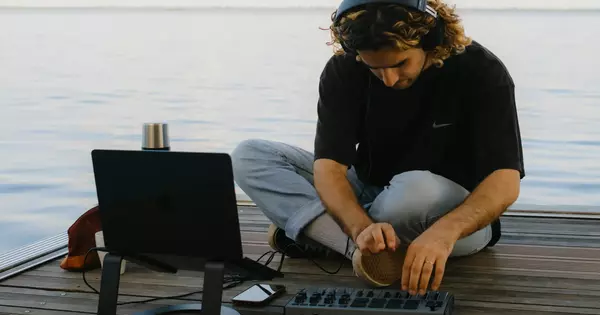
You don't need a professional studio to record songs online. If you have a laptop and an internet connection, you already own everything required to start recording your own songs today. The barrier between "I have an idea" and "I have a recording" has collapsed to almost nothing.
This guide walks you through the entire process — from understanding what an online recording studio actually is, to hitting that final export button on your finished track. Whether you're capturing a quick vocal idea or building a full arrangement with multiple instruments, the steps might just be simpler than you expect. Read on to find out!
What Is an Online Recording Studio?
An online audio recording studio runs entirely in your web browser. No installation, no updates, no compatibility headaches. You open a URL, and you're inside a digital audio workstation capable of recording, editing, mixing, and exporting finished tracks.
Traditional desktop DAWs require downloads, sometimes expensive licenses, and a learning curve steep enough to discourage beginners. A sound recording studio online eliminates most of that friction. You're working with the same core tools — tracks, effects, mixing controls — but accessed through a recording studio website that's as easy to launch as checking your email.
Browser-based platforms like Amped Studio handle the heavy processing server-side, meaning even modest computers can run complex projects without specialized hardware.
What Makes a Good Online Song Recorder?
Not all online music studio platforms are created equal. Before you start recording, it helps to know what separates a genuinely useful tool from a frustrating toy.
Multi-track capability is non-negotiable. You need to layer vocals over instruments, stack harmonies, build arrangements. A song recorder that only handles single takes is basically a voice memo app.
Built-in effects and processing matter more than you'd expect. Raw recordings — especially from laptop mics — may sound thin and harsh. The best software for home recording includes compressors, equalizers, reverb, and other tools to polish your tracks without bouncing files to external editors.

Ease of use without sacrificing power is the tricky balance. The best home recording software for beginners should be easy to use while not hiding the more advanced workflows. You should be able to record a song online within minutes of opening the platform, then gradually discover deeper functionality if you need it. Even easy home recording software should give you room to grow.
Amped Studio checks all these boxes while remaining a genuinely free online music studio software for basic use. The interface is clean enough for complete beginners but doesn't feel dumbed-down.
Getting Started — What You Actually Need
The gap between professional studios and home recording setups has narrowed dramatically. An online audio recording studio like Amped Studio gives you the same fundamental tools that recording engineers use — multi-track capture, effects processing, mixing controls — without the financial barrier or technical complexity of traditional software. It is both a musical instrument recorder, an online vocal recording tool and an all-around answer to your question “so how can i record a song”.
Here's the truth about how to record your own song: you probably already own sufficient gear.
Minimum setup: A laptop with a built-in microphone. That's it. Will it sound like a professional studio recording? Probably not. But it's good enough for demos, rough ideas, or sharing with collaborators. Many hit songs started as rough sketches recorded on basic equipment.
Your laptop's mic is typically capable of capturing perfectly usable audio for vocal melodies, song sketches, and instrumental ideas. Yes, there's background noise. Yes, the frequency response isn't flat. But if you're trying to decide whether recording your own songs is something you want to pursue, starting with zero investment makes sense.
One step up: USB microphone ($50-100). Plug it in, select it as your input source, and you'll immediately hear the difference in clarity and body. No audio interface required — USB mics connect directly to your computer.
Full setup (if you get serious): Audio interface ($100-200) plus XLR microphone ($100+). This is standard home studio gear, offering better preamps and more routing flexibility. But again — not required to start.
The beauty of a browser-based song recorder online like Amped Studio is that it works with whatever you plug in. Built-in laptop mic? Fine. Professional interface? Also fine. You record your own song free online with the gear you have, then upgrade hardware only when you decide it's worth it.

Recording Vocals Online
Let's walk through the actual process of recording a vocal track in Amped Studio.
- Create a new project and add an audio track. Click the record-arm button on that track so the software knows you want to capture audio there.
- Put on headphones. This prevents the backing track (if you're recording over existing music) from bleeding into your microphone. Even cheap earbuds work fine for this.
- Check your input levels. Talk or sing at the volume you plan to use, and watch the meter on the track. You want peaks hitting around -12dB to -6dB — loud enough to be clear, not so loud you're clipping into distortion.
- Hit record and perform your take. Don't overthink it. You can always record another pass.
- Listen back. If you like it, great. If not, delete it and try again. Recording your own songs means you're also the engineer — no one's charging you by the hour, so take as many attempts as you need.
Quick Fixes for Bedroom Recordings
Raw laptop mic recordings sound roomy and thin. Here's how to record your own songs that sound more polished without buying gear:
Built-in effects: Amped Studio includes compressors and EQ. A touch of compression evens out loud and soft phrases. Cutting muddy low-mids (around 200-400Hz) and boosting presence (3-5kHz) adds clarity.
Acoustic treatment on a budget: Hard walls reflect sound back into the mic, creating a hollow, echoey quality. Professional solution? Bass traps and foam panels ($200+). Free solution? Record in your closet. Hanging clothes absorb reflections surprisingly well. Alternatively, drape a thick duvet over yourself and the mic to create a makeshift isolation booth. It looks ridiculous but it works.
Mic technique: Stay about 6 inches (15 cm) from the mic. Closer adds bass (proximity effect), farther sounds distant. Angle slightly off-axis if you're getting harsh “P” and “B” sounds (plosives).
These aren't necessarily professional studio techniques — but they're pragmatic workarounds for recording at home without spending extra money if your goal is capturing usable audio, not sonic perfection. For more detailed vocal recording tips, see our guide on online voice recording techniques.
Online Instrument Recorder (Real and Virtual)
So how do you record a song with instruments? Same basic process as vocals, but the input source changes.
Live instruments: Plug a guitar or bass into your audio interface (or directly into your laptop's line input if necessary). Create an audio track, arm it for recording, hit record. Amped Studio captures whatever signal you feed it. For acoustic instruments, place a microphone in front of them — same principle as vocal recording.
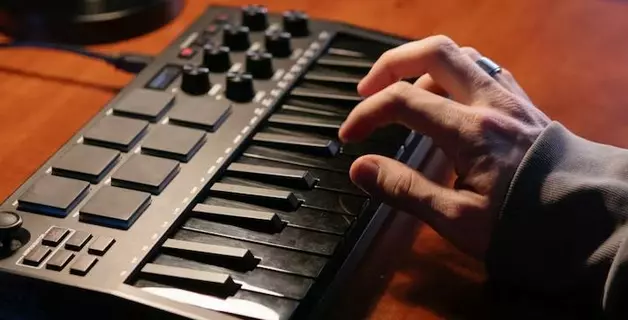
Virtual instruments and MIDI: Not everyone owns a piano or drum kit. That's where Amped Studio's built-in library and virtual instruments come to the rescue. The platform includes synthesizers, drum machines, and virtual instruments you play via MIDI. Click notes into the piano roll, connect a MIDI keyboard or even use your computer keyboard to and perform parts in real-time.

Building Your Track in a Free Online Music Studio
Once you know how to capture vocals and instruments, the question remains: how do you record your own music that sounds like a cohesive song rather that just a bunch of disconnected clips? These are the key concepts to achieve that.
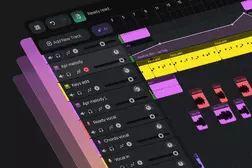
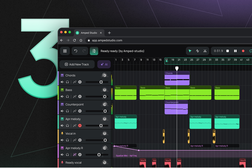
Layering tracks: Each element — lead vocal, harmony, guitar, bass, drums — lives on its own track. This lets you adjust volumes independently, pan sounds left or right in the stereo field, and apply different effects to each layer. In Amped Studio, adding tracks is as simple as clicking a button. The free online song recording studio structure mirrors professional DAWs: horizontal timeline, vertical track stack, playhead that moves left to right as your song plays.
Arrangement basics: Build the song gradually. Start with a foundational element (usually drums or a chord progression), then add bass, then melodic instruments, finally vocals. This recording workflow gives you a clear structure to follow.
Basic mixing: Adjust track volumes so nothing overpowers everything else. Vocals usually sit front and center. Panning adds width — put rhythm guitar slightly to the left, keyboard to the right, keep bass and kick drum centered. Use the built-in equalizer to clean up muddy low-end on non-bass instruments, tame harsh resonant frequencies, and carve space for each element to breathe in the mix.
Record Songs for Free Online — Start Today
The best software for home recording is the one you'll actually use. Amped Studio removes the friction between "I want to record" and "I'm recording." No installation, no paid upgrades to access core recording features, no manual thick enough to intimidate beginners.
You don't need to study intricacies of signal flow or master acoustics before you start. You just need an idea and the willingness to hit record. Use your laptop's microphone if that's all you've got for now. Record in a closet or under a blanket if you can't invest in acoustic panels. Record songs for free online in short sessions and build your song piece by piece.
FAQ
Use an online instrument recorder with built-in virtual instruments and MIDI capability. Amped Studio includes synthesizers, drum machines, and sampled instruments you can play with your computer keyboard or click notes directly into the piano roll. Utilize the powerful Chord Creator feature for chord sequences in key. You can build complete backing tracks for your song without owning a physical instrument, then record vocals over the top.
Absolutely. A free online song recorder like Amped Studio provides the same core recording capabilities as paid software. The difference usually lies in storage limits or project counts, not recording quality. Whether you're recording your own song for a demo or building a full release, the free online voice recording studio tools give you professional-grade effects and instruments. Many artists start projects in free tiers and only upgrade when they need more storage or concurrent projects. The sound recording studio online environment doesn't compromise on audio fidelity just because it's free.
The simplest path is using a song recorder online that requires zero setup. Open Amped Studio in your browser, create a new project, and you're ready to record your own song online immediately. You can start with just your laptop's built-in mic — no interface, no expensive microphone, no technical knowledge required. As you get comfortable with the basics of recording your own song, you can gradually add virtual instruments from the built-in library, layer multiple tracks, and experiment with effects.
A sound recording studio online like Amped Studio offers nearly identical functionality to traditional desktop DAWs, but with key advantages for beginners. You get the same multi-track recording, MIDI sequencing, mixing tools, and effects processing. The main difference is convenience and low barrier to entry. Of course, desktop DAWs offer more options and deeper customization, but for learning the fundamentals of production and recording, browser-based platforms remove technical barriers while delivering near-professional results.