How to Make a Rap Beat in Your Browser
Making a rap beat comes down to four elements: a drum pattern that drives the rhythm, a bassline that anchors the groove, a melodic or harmonic layer that sets the mood, and an arrangement that leaves space for the vocal. Most modern rap beats sit between 80 and 100 BPM, are built on a four-bar loop, and rely on contrast — sections that drop elements out, build them back in, and reward the listener at every transition. This guide walks through how to make a beat using Amped Studio as a free rap beat maker in the browser.
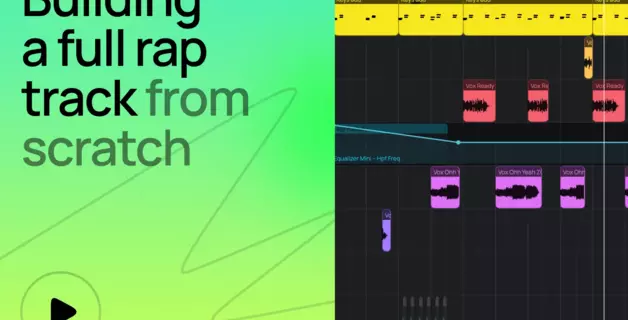
Just open a browser tab and start making beats. Follow our video walkthrough showing the process below.
The beat in this guide is built on an 808 drum kit playing a boom-bap groove, with a bassline underneath, a marimba sample on top, and chords filling out the harmony. Different rap subgenres come with their own drum kits, presets, and tempos, but the workflow stays the same — so the steps below apply whether you're making boom-bap, trap, or lo-fi.
Step-by-step: how to make a rap beat in Amped Studio
Step 1: Start your project
Sign in to Amped Studio or sign up for a free account to create a new project. The session opens with an empty arrangement timeline.
Set the project tempo to 100 BPM, a classic hip-hop pocket that suits a boom-bap groove. You can adjust later if needed. The standard BPM for rap beats sits in the 80 to 100 range, with subgenres pushing higher or lower from there.
Step 2: Build the drums
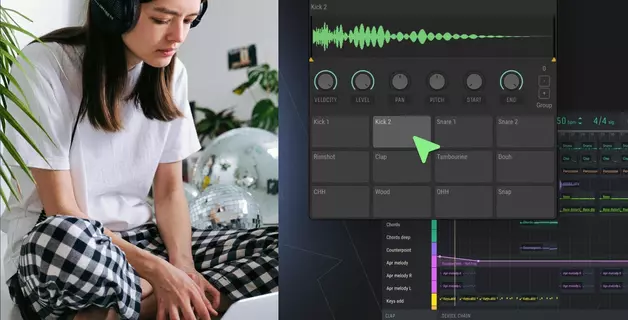
Open Drumpler, the built-in drum machine online, and load the standard 808 Drum Kit. Rename the track to Drums and move it to the top of the arrangement.
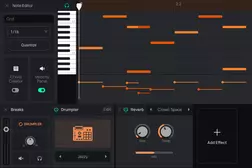
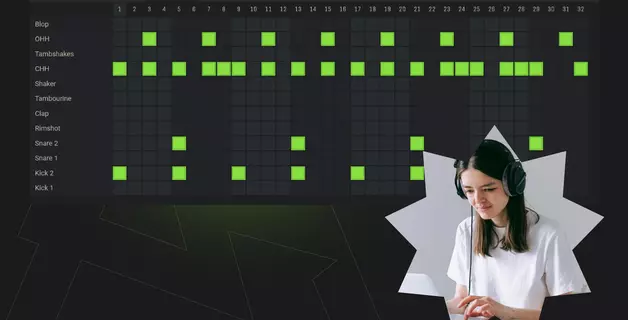
Create a new MIDI clip on the drum track and open it in the piano roll. You can audition each drum sound by clicking the corresponding key. To build the rap drum pattern:
- Place kicks on beat 1 and around beat 3.
- Snare or clap on beats 2 and 4.
- Hi-hats on the eighth notes.
Once a four-bar pattern feels right, duplicate the clip and tweak the last bar — a small fill, a missing kick, an extra snare. Two bars of repetition followed by two bars with a variation is enough to keep the ear engaged.
Step 3: Add the bass
Create a second instrument track and rename it Bass. Pick a synth bass preset — an 808 Bass is the classic choice that will fit well with many types of rap.
Connect a MIDI keyboard record the bassline keeping it simple — a good rap bassline can be just three or four notes locked to the kick rhythm. After recording, nudge any notes that landed slightly off the grid so they sit cleanly in the groove.
Use the device panel below the arrangement to shape the tone: add a touch of drive for warmth, or push it further by adding audio effects to the track for further tweaking.
Step 4: Layer in a sample
Working with samples is inseparable from the DNA of hip-hop — the genre started with DJs looping breaks from old records, and finding a sample that fits the rest of your beat is still one of the strongest songwriting tools in rap production.
Open the studio library and search for a melodic instrument. For this walkthrough we're looking for a marimba loop — audition a few options and pick one that suggests a mood worth building around.
Drag the sample into the arrangement on a new track. The first thing you'll notice is that the sample's pitch usually won't match your bassline. Transpose the sample up or down until its key lines up with the bass.
Step 5: Add chords
Create another track for chords and load a synthesizer from the "+ Add new track" menu. Pads, keys, and electric pianos all work well here — pick something that sits well with the rest of the mix. Add a little reverb from the effects panel to give the chords some space.
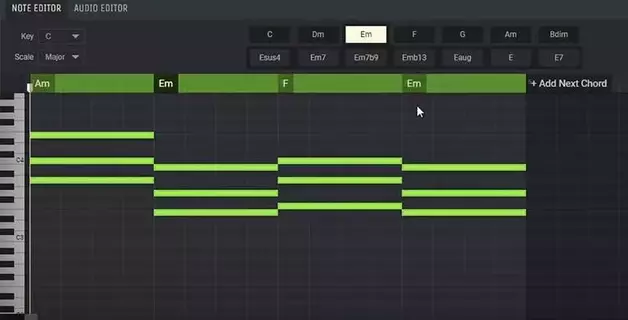
With the marimba sample doing most of the melodic work, the chords' job here is supporting ornament — two or three voicings that complement the sample's motif. Record a simple chord progression in the same key as the bass and sample. Minor keys are the default for most rap chord progressions, and two- or three-chord loops cover most of what you'll hear in modern rap.
Step 6: Arranging a rap beat structure
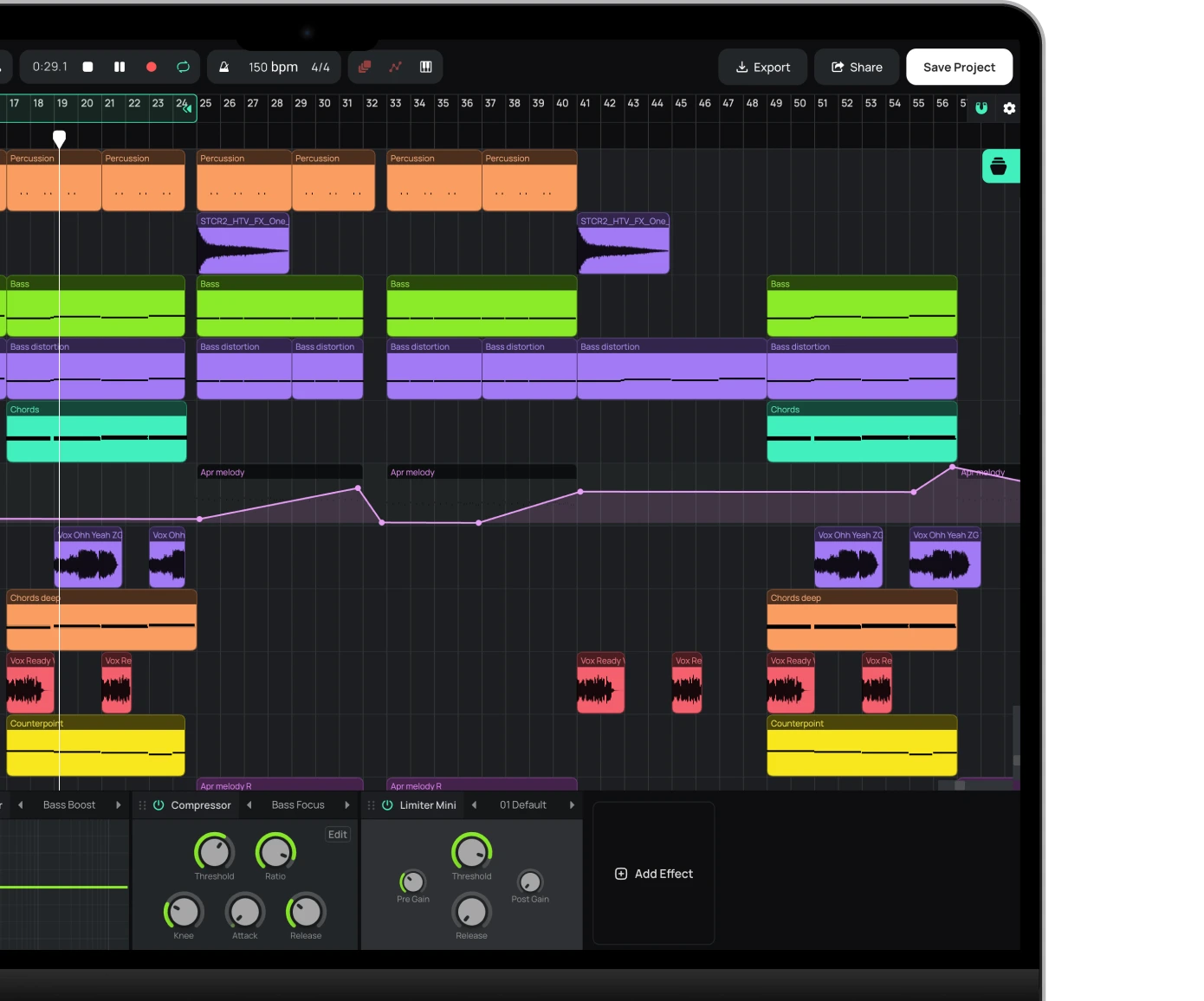
A four-bar loop isn't a song yet. Extend the loop section using the loop marker at the top of the arrangement to cover the full length of the beat — usually somewhere between two and three minutes for a rap track.
Think of your timeline as a sequence of 8-bar sections. Variation comes from two moves: dropping parts in and out across sections, and placing a turnaround at the end of each one — a drum fill, or a drum drop where the kit cuts out for a bar while the melody keeps playing, so the next section lands harder. Changing up the drum pattern in the final section adds a sense of arrival.
The most important arrangement decision in rap is what to take out, not what to add. A beat that plays the same way for three minutes loses the listener.
Step 7: Record vocals
Create an audio track and connect your microphone in the studio settings. Set the input level so the loudest parts of your performance peak just below clipping. Record the vocal pass directly over the beat.
Tip: Once the vocal is recorded, try the AI Voice Changer. It alters the timbre of the take, so you can reshape your vocal character to suit the track — or layer a second pass with a different texture under the hook.
Step 8: Quick mastering and export
Proper mastering deserves its own deep-dive but for a fast turnaround you can hand the job to a third-party plugin with a genre preset and move on. Mixing and mastering both matter, but the right preset takes care of most of the work on a first pass.
Amped Studio supports VST plugins through VSTremote. Add VST Remote to the master output, select a mastering plugin — the video uses Universal Audio's Masterdeck — and load its hip-hop preset. The preset handles most of the work; tweak from there if anything stands out.
When the master sounds right, export the track. WAV at 48 kHz available on Premium subscription preserves the full quality. MP3 is fine for sharing a draft.
What you need to make a rap beat
You don't need expensive gear or formal music theory to make a rap beat. You need a computer that can run a modern browser and a pair of headphones — that's the whole list.
A laptop from the last five years handles Amped Studio comfortably. Browser-based DAWs offload some of the work to the online DAW itself, but your computer still does real lifting once a project fills up with tracks and effects. Chrome and Firefox both work, and a steady connection keeps things smooth. Good bass response matters for rap, so over-ear headphones beat laptop speakers; studio monitors are a worthwhile upgrade later, not a requirement now.
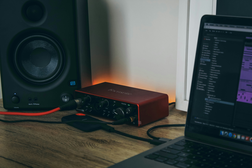
A MIDI keyboard, an audio interface, a microphone, and outboard plugins all widen what you can do, but none are needed to start. The craft itself runs deep — rap production grew out of DJs looping breaks in the late 1970s, and the drum machines and samplers that followed (the Roland TR-808, the E-mu SP-1200, the Akai MPC) shaped the sound that boom-bap, trap, and lo-fi producers still build on today. You can spend years exploring that lineage. You can also open a browser and make your first rap beat this afternoon.
That's the real advantage of a browser-based setup: no install, no upfront cost, no barrier between the idea and the session. Open Amped Studio, start a project, and make rap beats free with the built-in kits, samples, and synths.
Tips for making your rap beats stand out
Add human feel. A drum pattern locked exactly to the grid, with every hit at identical strength, sounds stiff. Velocity variation fixes most of it — adjust the strength of repeating hits, especially the eighth- or sixteenth-note hi-hats, so they don't all land the same. Optionally, nudge individual hits off the grid: pull the snare back by a few ticks, or let the hi-hats drift slightly behind the beat. This is sometimes called swing, and different rap traditions lean into it differently — Detroit hip-hop plays late, Atlanta trap runs early.
Leave room for the rapper. The vocal needs space across two dimensions. Frequency-wise, the beat shouldn't be heavy where the vocal lives — broadly the mid range, roughly 200 Hz to 4 kHz — so the rapper isn't fighting the instruments for the same band. Arrangement-wise, the beat should sit in the background and serve the vocal, not compete with it. Constant activity, busy melodic counterpoints over the verse, or a wall of layered elements all give the rapper nowhere to sit. Think of the beat as a frame, not a painting — the vocal is the painting.
FAQ
Most rap beats sit between 80 and 100 BPM. Boom-bap and old-school styles cluster around 85 to 95. Modern melodic rap often runs slower, in the 70 to 80 range. Trap beats are written at 130 to 170 BPM but use half-time drum patterns that make the rap beat tempo feel closer to 65 to 85.
A typical rap instrumental runs three to four minutes when fully arranged. The underlying loop is usually four or eight bars, repeated and varied across the full rap song structure — intro, two verses (around 16 bars each), two hooks (around 8 bars each), a bridge, and an outro. That works out to roughly 80 to 100 bars across a finished rap beat.
A good rap beat balances three things: a drum pattern with the right feel and velocity variation, a clear low end from an 808 or sub-bass, and enough space in the arrangement for the rapper to sit comfortably in the mix. Strong rap beat arrangement matters more than any single sound — what you leave out is as important as what you put in.
Yes. Amped Studio works as a free rap beat maker right in the browser, so you can make a rap beat online free with no download and no payment to start. If you've been searching how to make a rap beat for free, this is the most direct route — open a session and make rap beats free using the built-in drum kits, samples, synths, and effects. A paid plan only adds storage and VST support.
Minor-key progressions are the default for rap. A simple i–VI–III–VII (in natural minor) or i–iv–v loop covers most modern rap songs, and many beats use only two alternating chords. The chord progression for rap songs is usually sparse — its job is to color the harmony, not compete with the vocal or the sample.
Start creating beats and songs in minutes. No experience needed — it's that easy.
Get started