How to Isolate Vocals from a Song

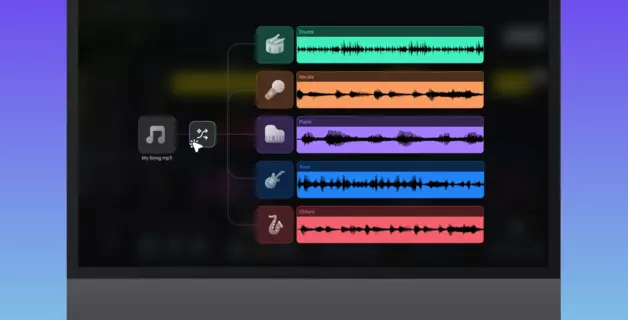
In Amped Studio, this happens inside your session. Its built-in AI Splitter tool lets you isolate vocals online without installing anything — the stems appear directly in your project as tracks.
Keep reading to find out more about this technique, as well as:
- The most common uses for an isolated vocal
- How to extract vocals from a song using Amped Studio's AI Splitter
- How AI vocal isolation actually works under the hood
- Where the technology currently stands — and what to expect from the output
- A quick note on copyright
Common Uses for Isolated Vocals
Remove the vocal, keep the instrumental
The most direct use of any vocal extractor: get rid of the singer, keep the music. What remains is a clean instrumental — the full arrangement without the lead vocal on top.
This is how personal karaoke tracks get made when no official version exists. It's also how musicians pull a backing track from a finished recording to rehearse over, record a cover, or use as a compositional reference. If you've ever wanted a karaoke version of a song that doesn't have one — this is the answer.
Extract an acapella from a song for remixing, mashups, or sampling
The opposite direction: keep the vocal, discard the music. An acapella is the isolated vocal track on its own. Once you have it, you can layer it over a different beat, transpose it to a new key, blend it into a mashup — or go further and cut fragments from it, a phrase here, a breath there, and use those pieces as raw material in an entirely new production. Whether you use the vocal whole or in pieces, the acapella extractor workflow is the same: separate vocals from song, then take it wherever the project needs to go.
This is standard practice for DJs building live sets, producers remixing without access to the original session files, and beatmakers sampling from existing recordings.
Amped Studio as a Vocal Extractor: Step by Step
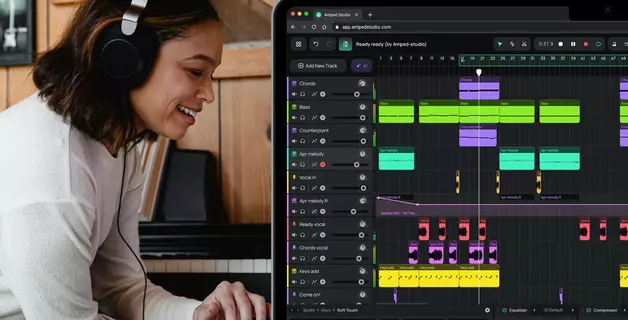
Amped Studio's AI Splitter runs entirely in your browser — no download, no installation. The stems appear directly in your project as tracks, which means everything that happens next — editing, effects, arranging, adding new elements — stays in the same environment without switching windows or re-importing files.
Step 1: Open Amped Studio
Sign in or register at ampedstudio.com. The session opens in your browser in seconds.
Step 2: Click "Split any song"
The welcome screen gives you direct access to the AI Splitter. Click it to open the stem separator.

Step 3: Upload your track and choose your stems
Drop in your audio file or select it from your library. For vocal isolation, the 2-stem option gives you one vocal stem and one instrumental. If you want a fuller breakdown — drums, bass, and piano separated as well — choose 4 or 5 stems.
The tool supports audio files up to 5 minutes in length.
Step 4: Work with the result
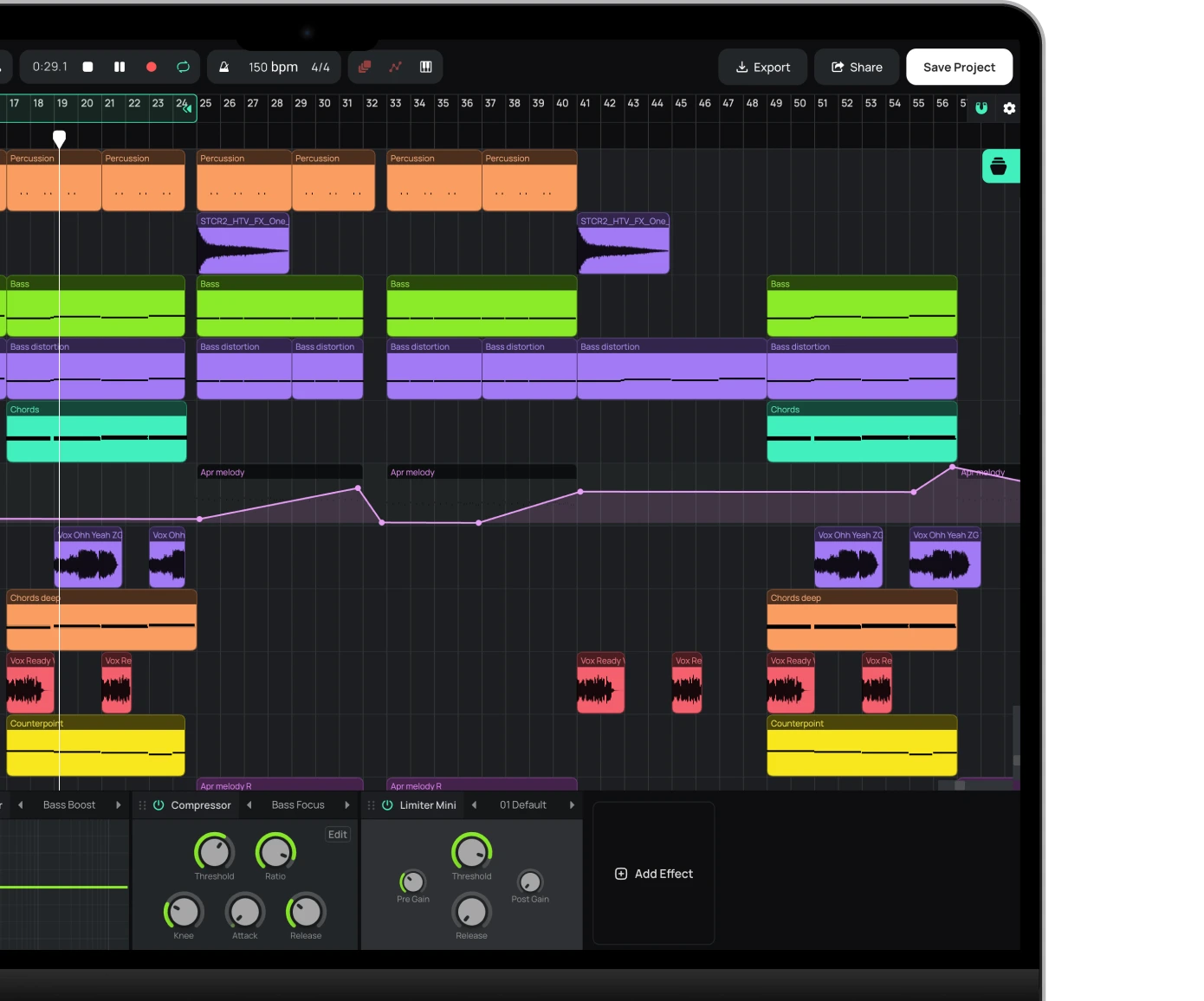
Each stem appears as a separate track in your Arrangement Timeline. Solo the vocal stem, trim it, apply effects, normalize it, or start building around it — all without leaving the session.

Unlike standalone online vocal remover tools that hand you a file to download and re-import somewhere else, everything in Amped Studio stays in the same session. The stem you just extracted is already a track in your project. Edit the audio tracks, add effects, layer in new instruments, start sketching a remix or a cover. No context-switching, no re-importing, no interruption to your creative flow.
How AI Vocal Isolation Works
Every sound in a mixed recording has a distinct spectral fingerprint — a characteristic shape across the frequency spectrum that changes over time. To understand how AI reads that, it helps to know what a spectrogram is.
A spectrogram is a three-dimensional map of sound: time running left to right, frequency from bass at the bottom to treble at the top, amplitude encoded as brightness. Every instrument leaves a different mark. A kick drum is a brief burst low on the map. A hi-hat is a sharp spike at the top. A human voice traces a more complex path: harmonic resonances, vibrato, the texture of consonants and breath. Consistent enough to be learned.

AI stem separators are trained on large datasets of multitrack recordings consisting of full mixes paired with their individual stems. The model learns to associate specific spectral shapes and movement patterns with each source. Feed it a new track, and it converts the audio into a spectrogram, predicts a mask for each instrument, and applies those masks back to reconstruct the stems. Not filtering. Not EQ. Pure pattern recognition.
Like most things in AI, the technology keeps evolving. The most advanced current models run a second analysis in parallel: the audio not as a picture, but as what it physically is — 44,100 numbers per second, each a snapshot of the wave's shape. Mathematical filters scan that stream looking for the same fingerprints. The two streams run concurrently, and the model weighs their outputs against each other depending on the source. Among other things, this addresses phase issues that purely spectrogram-based separation is prone to. The approach is called hybrid source separation, and it is now the standard in AI stem separation tools.
AI Vocal Isolation: Where the Technology Stands Today
Before AI stem separation existed, one method for extracting a vocal was phase cancellation: inverting one stereo channel and summing it with the other to cancel anything panned to the center. That approach was based on the fact that vocals in commercial mixes typically sit dead center in the track’s stereo field. In practice, real-world mixes rarely conform that neatly, and the results were often thin, hollow, or riddled with artifacts. AI-based stem separation was a dramatic step forward.
That said, AI vocal extraction is a technology still developing, and the output it produces is not the same as having clean recorded instrument parts from the original multitrack recording session. What comes out is the model's best estimate of what the vocal contributed to the mix. For personal creative uses such as making a karaoke track or extracting an acapella for a mashup the quality is sufficient. For professional studio work requiring pristine audio, AI-extracted vocals may not always be clean enough, though the gap narrows as AI stem separation models develop.
Vocal Isolation and Copyright
AI vocal extractors are built for personal use, creative exploration, and learning. Making a karaoke track for yourself, studying a vocal performance, experimenting with remixing — all of that falls squarely within personal use.
Publishing or distributing content that includes extracted stems from copyrighted recordings is different. Releasing a remix, distributing a mashup, or incorporating a vocal stem into commercial work requires the appropriate rights to the underlying material. If you plan to release or distribute anything built around a vocal extracted from someone else's recording, make sure you have the rights to use it first.
If you've ever been curious what the vocals of a favorite track sound like on their own or what the song sounds like without them — this is the place to start. Upload it to Amped Studio, run the split, and hear what comes out.
Frequently Asked Questions
Use an AI stem separator like Amped Studio's AI Splitter. Upload your audio file, select a 2-stem split, and you get a vocal stem and an instrumental stem — both appearing directly in your Amped Studio session as individual tracks, ready to edit or build on.
Yes. Amped Studio's AI Splitter is available on the free plan with one use per 24 hours. Free online stem separation is available once per 24 hrs on the free plan and unlimited on the Premium + AI plan.
An acapella extractor is a tool that separates the vocal from the music and outputs the voice on its own. Most tools work in both directions: keep the vocal and discard the music, or keep the music and discard the vocal. The same separation process produces both outputs.
Results depend on the recording and source file quality. Clean studio vocals in sparse arrangements separate well. Dense mixes with heavy reverb or layered harmonies are harder. Low-bitrate MP3 source files may introduce compression artifacts that compound during separation. For most creative applications the output is fully usable — it won't match original multitrack session stems, but for everyday use the gap is rarely disqualifying.
Same process, different output kept. Vocal removal means you keep the instrumental and discard the vocal — the basis of any online vocal remover or karaoke tool. Vocal extraction means you keep the vocal and discard the music. Same upload, same separation, different stems.
For personal use and creative exploration, yes. If you want to release something built around an extracted vocal, you'll need to clear the rights with whoever owns the recording. For independent artists, reaching out directly is often the simplest route. For major label releases, the process has traditionally been less straightforward, but that's changing. Spotify recently announced a fan remix tool with Universal Music Group that lets listeners create and release covers and remixes of participating artists' tracks, with revenue shared back to the original artist.
Start creating beats and songs in minutes. No experience needed — it's that easy.
Get started