Arrangement Window Explained – Clips, Editing & Audio to MIDI
BasicsReading time: 2 min
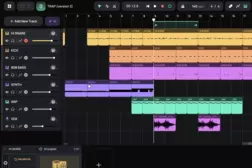
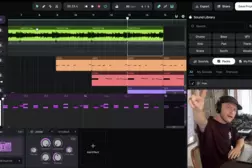
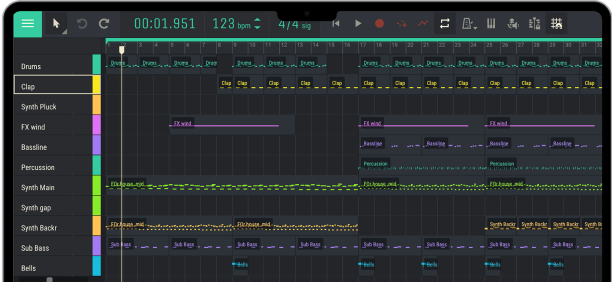
In this tutorial, Andrey explores the Amped Studio arrangement window and its essential editing features. Learn how to work with audio and MIDI clips, arrange your tracks, edit clips, apply creative effects, bounce MIDI to audio, and convert audio into MIDI.
00:00 – Introduction to the Arrangement Window
00:26 – Understanding and Moving the Playhead
01:02 – Using the Loop Region
01:27 – Creating Audio and MIDI Clips
01:58 – Creating Clips with Right-Click
02:13 – Selecting and Duplicating Clips with Silence
02:47 – Creating Clips from the Sound Library
03:10 – Adding MIDI Clips from the Library
03:47 – Basic Clip Editing: Cut, Copy, Paste, Duplicate & Delete
04:09 – Using Keyboard Shortcuts for Clip Editing
04:36 – Renaming and Coloring Clips
05:00 – Loop Selected Clip
05:26 – Merging Audio and MIDI Clips
06:27 – Changing Clip Pitch
07:02 – Transposing MIDI and Audio Clips
07:59 – Reversing Audio and MIDI Clips
08:53 – Muting and Unmuting Clips
09:16 – Bouncing Clips to a New Track
09:43 – Converting MIDI Clips into Audio
10:22 – Applying Effects and Bouncing Audio
10:42 – Printing Effects to Audio
11:12 – Creating Transitions with Reverse and Bounce
11:49 – Saving Clips to My Files
12:24 – Reusing Saved Clips in Other Projects
12:24 – Converting Audio to MIDI
12:53 – Extracting MIDI Notes from Audio
13:30 – Outro
00:00 – Introduction to the Arrangement Window
00:26 – Understanding and Moving the Playhead
01:02 – Using the Loop Region
01:27 – Creating Audio and MIDI Clips
01:58 – Creating Clips with Right-Click
02:13 – Selecting and Duplicating Clips with Silence
02:47 – Creating Clips from the Sound Library
03:10 – Adding MIDI Clips from the Library
03:47 – Basic Clip Editing: Cut, Copy, Paste, Duplicate & Delete
04:09 – Using Keyboard Shortcuts for Clip Editing
04:36 – Renaming and Coloring Clips
05:00 – Loop Selected Clip
05:26 – Merging Audio and MIDI Clips
06:27 – Changing Clip Pitch
07:02 – Transposing MIDI and Audio Clips
07:59 – Reversing Audio and MIDI Clips
08:53 – Muting and Unmuting Clips
09:16 – Bouncing Clips to a New Track
09:43 – Converting MIDI Clips into Audio
10:22 – Applying Effects and Bouncing Audio
10:42 – Printing Effects to Audio
11:12 – Creating Transitions with Reverse and Bounce
11:49 – Saving Clips to My Files
12:24 – Reusing Saved Clips in Other Projects
12:24 – Converting Audio to MIDI
12:53 – Extracting MIDI Notes from Audio
13:30 – Outro
Tutorial
studio