Essential Tools – Arrow, Pen, Time & Split
BasicsReading time: 1 min
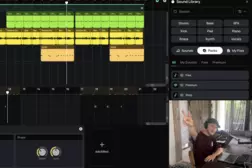
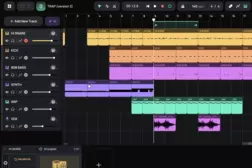
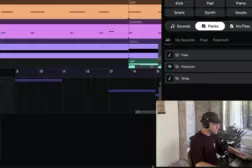
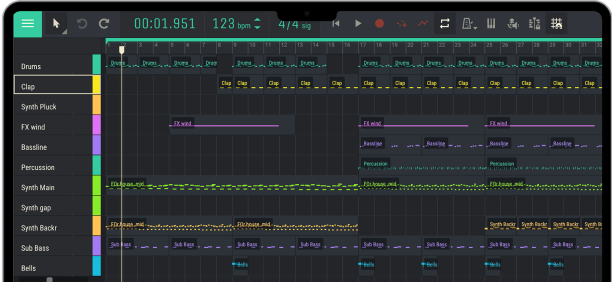
In this tutorial, Andrey explains how to use the four essential editing tools in Amped Studio: Arrow, Pen, Time, and Split.
Learn how to edit audio and MIDI clips, create notes, adjust playback speed, fit samples to your project's tempo, and build more interesting arrangements and transitions.
00:00 – Introduction to the Four Essential Tools
00:32 – Moving Clips Between Tracks
01:01 – Copying Clips with Option / Alt
01:24 – Changing Clip and MIDI Note Lengths
01:57 – Using the Pen Tool to Create Clips
02:22 – Creating MIDI Notes with the Pen Tool
02:51 – Using the Time Tool to Change Playback Speed
03:29 – Time Stretching Without Changing Pitch
03:52 – Arrow Tool vs. Time Tool
04:20 – Time Stretching MIDI Clips
04:48 – Fitting Samples to Your Project's Tempo
05:36 – Adjusting a Drum Loop with the Time Tool
06:06 – Using the Split Tool
06:34 – Practical Examples: Building a New Arrangement
07:01 – Copying Clips to Create a New Section
07:35 – Cutting and Rearranging Samples
08:05 – Creating Variations with the Split Tool
08:28 – Making Transitions More Interesting
08:56 – Changing Samples with the Time Tool
09:28 – Creating a Snare Roll with the Pen Tool
10:14 – Outro
Learn how to edit audio and MIDI clips, create notes, adjust playback speed, fit samples to your project's tempo, and build more interesting arrangements and transitions.
00:00 – Introduction to the Four Essential Tools
00:32 – Moving Clips Between Tracks
01:01 – Copying Clips with Option / Alt
01:24 – Changing Clip and MIDI Note Lengths
01:57 – Using the Pen Tool to Create Clips
02:22 – Creating MIDI Notes with the Pen Tool
02:51 – Using the Time Tool to Change Playback Speed
03:29 – Time Stretching Without Changing Pitch
03:52 – Arrow Tool vs. Time Tool
04:20 – Time Stretching MIDI Clips
04:48 – Fitting Samples to Your Project's Tempo
05:36 – Adjusting a Drum Loop with the Time Tool
06:06 – Using the Split Tool
06:34 – Practical Examples: Building a New Arrangement
07:01 – Copying Clips to Create a New Section
07:35 – Cutting and Rearranging Samples
08:05 – Creating Variations with the Split Tool
08:28 – Making Transitions More Interesting
08:56 – Changing Samples with the Time Tool
09:28 – Creating a Snare Roll with the Pen Tool
10:14 – Outro
Tutorial
studio