Track Panel Explained – Audio, MIDI, Volume & Automation
BasicsReading time: 1 min
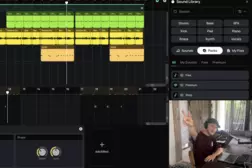
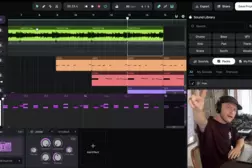
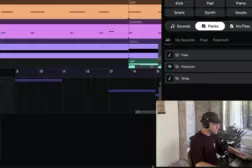
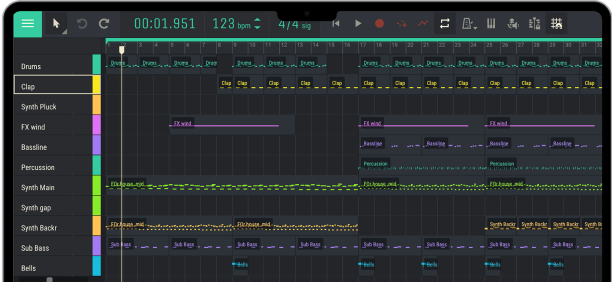
In this tutorial, Andrey explains how the track panel works in Amped Studio. Learn the difference between audio and instrument (MIDI) tracks, how to add and duplicate tracks, control volume and panning, use mute and solo, edit automation, and prepare tracks for recording.
00:00 – Introduction to the Track Panel
00:30 – Audio Tracks vs. Instrument (MIDI) Tracks
00:52 – Understanding Audio and MIDI Clips
01:18 – Audio and MIDI Track Examples
02:00 – How to Add a New Track
02:25 – Adding Tracks from the Track Panel
02:42 – Duplicating Tracks and Keyboard Shortcuts
03:11 – Mute and Solo Controls
03:39 – Muting and Unmuting Tracks
04:05 – Soloing Tracks
04:31 – Using Mute and Solo on Multiple Tracks
05:03 – Adjusting Track Volume
05:42 – Understanding Pan and Stereo Positioning
06:08 – Left and Right Panning
06:44 – Resetting Parameters to Their Default Values
07:09 – Understanding Track Automation
07:35 – Viewing and Editing Automation Lanes
08:05 – Hiding Automation Lanes
08:32 – Enabling a Track for Recording
09:10 – Outro
00:00 – Introduction to the Track Panel
00:30 – Audio Tracks vs. Instrument (MIDI) Tracks
00:52 – Understanding Audio and MIDI Clips
01:18 – Audio and MIDI Track Examples
02:00 – How to Add a New Track
02:25 – Adding Tracks from the Track Panel
02:42 – Duplicating Tracks and Keyboard Shortcuts
03:11 – Mute and Solo Controls
03:39 – Muting and Unmuting Tracks
04:05 – Soloing Tracks
04:31 – Using Mute and Solo on Multiple Tracks
05:03 – Adjusting Track Volume
05:42 – Understanding Pan and Stereo Positioning
06:08 – Left and Right Panning
06:44 – Resetting Parameters to Their Default Values
07:09 – Understanding Track Automation
07:35 – Viewing and Editing Automation Lanes
08:05 – Hiding Automation Lanes
08:32 – Enabling a Track for Recording
09:10 – Outro
Tutorial
studio