Sound Library Explained – Find the Right Samples
BasicsReading time: 1 min
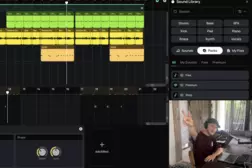
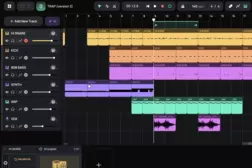
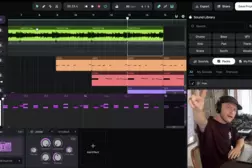
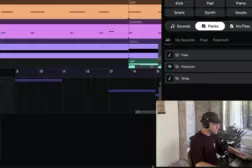
In this tutorial, Andrey explains how to use the Amped Studio Sound Library to find the right sounds for your music. Learn how to browse samples, loops, and MIDI clips, preview sounds, explore sound packs, and manage your own uploaded samples.
00:00 Introduction to Sound Library
00:26 Exploring the Sounds Tab
00:53 Understanding Sound Information and Icons
01:23 Previewing Sounds and Using the Mini Player
01:54 Controlling Sound Preview Playback and Volume
02:27 Free and Premium Sounds
02:58 Exploring Sound Packs
03:20 Managing Your Uploaded Sounds in My Files
03:44 Finding External Samples Used in Projects
04:16 Searching for Sounds
04:49 Using Filters to Find Specific Samples
05:07 Filtering by BPM and Genre
05:37 Previewing and Selecting Drum Samples
05:56 Adding Samples to the Arrangement
06:28 Using Instrument Tags
07:01 Adding Synth Sounds to Your Track
07:21 Automatic Tempo Matching for Library Samples
07:55 Tempo Matching for External Samples
08:16 Outro
00:00 Introduction to Sound Library
00:26 Exploring the Sounds Tab
00:53 Understanding Sound Information and Icons
01:23 Previewing Sounds and Using the Mini Player
01:54 Controlling Sound Preview Playback and Volume
02:27 Free and Premium Sounds
02:58 Exploring Sound Packs
03:20 Managing Your Uploaded Sounds in My Files
03:44 Finding External Samples Used in Projects
04:16 Searching for Sounds
04:49 Using Filters to Find Specific Samples
05:07 Filtering by BPM and Genre
05:37 Previewing and Selecting Drum Samples
05:56 Adding Samples to the Arrangement
06:28 Using Instrument Tags
07:01 Adding Synth Sounds to Your Track
07:21 Automatic Tempo Matching for Library Samples
07:55 Tempo Matching for External Samples
08:16 Outro