Online DAW vs Desktop DAW: Pros, Cons and When the Browser Wins

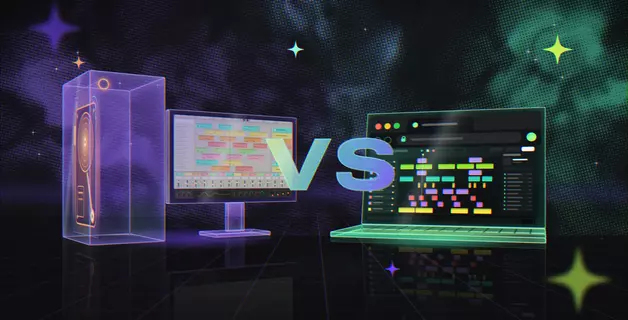
An online DAW runs in your web browser, with nothing to install, and stores your projects in your account. A desktop DAW is software installed on one computer; it works offline and supports a wide range of third-party plugins. For beginners, content creators and anyone who moves between computers, an online DAW is now a practical way to produce complete tracks. For very large sessions, live performance or recording through heavy effects, a desktop DAW still has the edge.
For a long time, the choice between online DAW vs desktop DAW was simple. Browser music tools were closer to toys than to studios, so anyone serious installed a desktop program. That changed once browsers gained a dedicated audio processing thread and the Web Audio standard was finalized in 2021. Today, a browser DAW records vocals, edits MIDI and runs synths and effects. Amped Studio even loads your own VST plugins.
Below, both approaches are compared point by point, so you can decide which one fits you.
What is a DAW?
A DAW (digital audio workstation) is software for recording, editing, arranging and mixing music on a computer. It combines a multitrack timeline, virtual instruments, audio effects and a mixer in one program.
DAWs come in two forms. A desktop DAW is installed on your computer. An online DAW runs inside a web browser.
What is a desktop DAW?
A desktop DAW is a music production program you download and install on a specific computer, such as Ableton Live, FL Studio or Logic Pro. It runs as a standalone program and stores your projects, samples and settings as files on your drive.
Before you make any music, a desktop DAW asks for some setup:
Installation. The program plus sound libraries, which can take tens of gigabytes of disk space.
System requirements. Some DAWs run on one operating system only. Logic Pro is Mac-only, and its current version runs only on Macs with Apple's own M-series processors, which Apple has used since late 2020.
Authorization. Paid licenses are activated per computer and tied to one user.
Updates. New versions are installed manually, and major upgrades are often paid.
What is an online DAW?
An online DAW, also called a browser-based DAW, is a music production program that opens in a browser tab. You sign in, and the full studio loads without installation. Your projects are saved to your account, so you can open them on any computer you sign in on.
The studio runs inside your browser, so there is nothing to download or set up. Your projects and the sound library are stored in the cloud, where heavier AI tasks, such as separating a song into stems, are also processed.
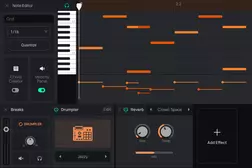
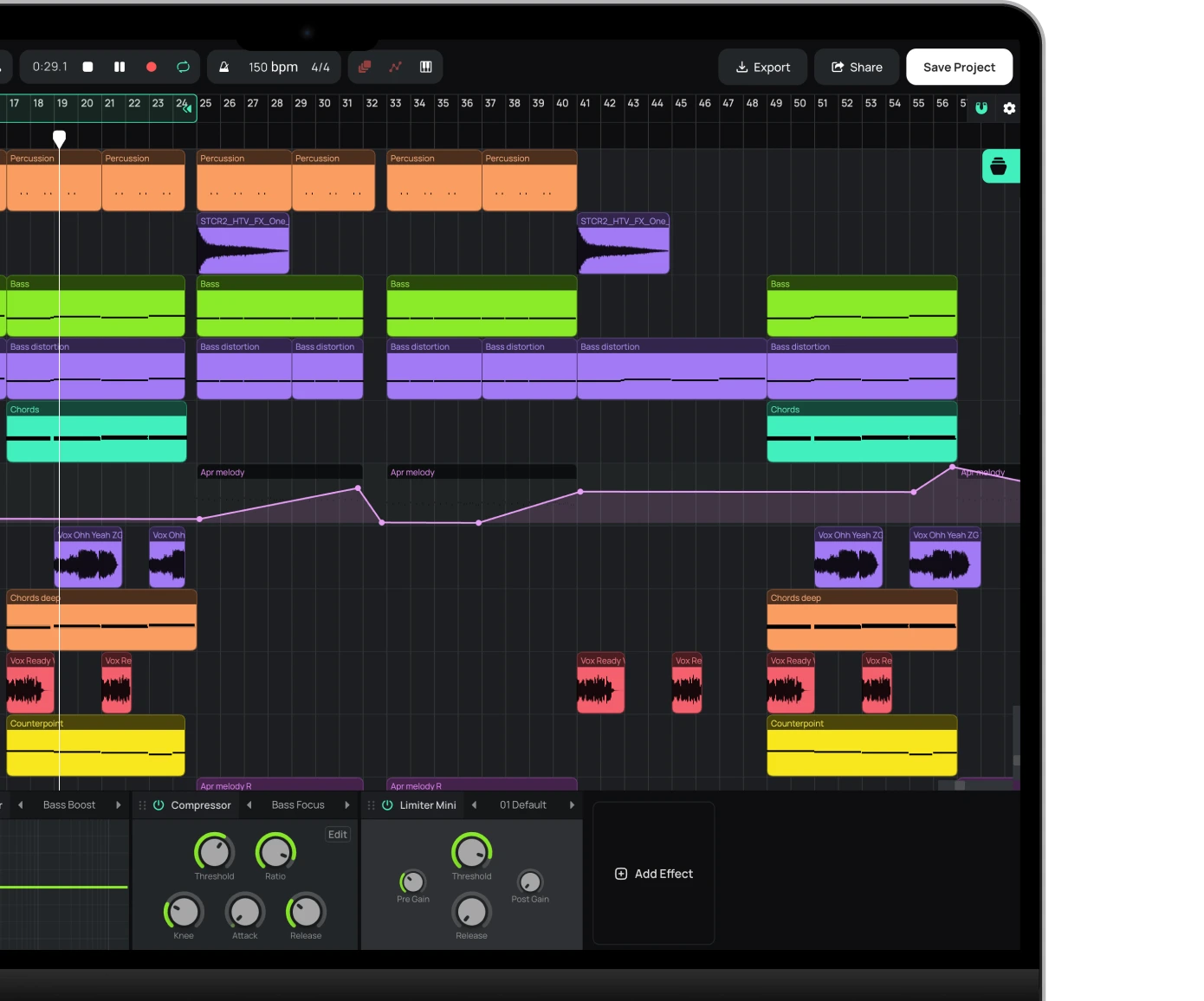
A modern browser DAW covers the core production workflow: recording through a microphone or audio interface, MIDI programming with a mouse or MIDI keyboard, virtual instruments, effects, samples and audio export. Amped Studio adds a capability browser DAWs rarely offer: it loads the VST plugins installed on your computer through VST Remote Bridge, an app that installs once and then runs in the background.
Online DAW vs desktop DAW: what's the difference?
The main difference between an online and an offline DAW is where the software lives: a desktop DAW is installed on one computer, while an online DAW runs in your browser.
| Comparison | Online DAW | Desktop DAW |
|---|---|---|
| Installation | None | Required |
| Disk space required | None | Up to tens of GB with sound libraries |
| Cost to start | Free plan; subscription for more | Paid license, about $99 to $749 |
| Platform | Chrome, Edge or Opera browsers | Windows or macOS operating systems |
| Where you work | Any computer with a browser | Computer with the DAW, projects and sample libraries |
| Collaboration | Shared project link | Requires same DAW, version and plugins |
| Third-party plugins | Ususally not supported. Exception: VST support in Amped Studio | VST, AU (Mac only) |
| Offline use | Partial: saving and AI tools need internet | Works offline |
| Updates | Automatic | Manual |
The table gives a quick overview. The sections below take a closer look at what each approach does better and where the details matter.
Advantages of a desktop DAW
A desktop DAW gives experienced producers maximum control, and its strengths matter most in large, established setups.
Wide plugin support
Plugin support is standard in desktop DAWs. VST is the most common format, AU is used on Mac, and Pro Tools uses its own AAX format. You can run as many plugins at once as your computer can handle, which is how producers build large, detailed sessions around their favorite third-party instruments and effects.
Offline work
A desktop DAW typically needs no internet connection once it is installed and authorized. A connection is usually needed only for online services, such as integrated sample stores.
Low latency for live performance
Desktop DAWs work with your audio interface through dedicated low-latency audio drivers: ASIO on Windows, and Core Audio on macOS. With a small buffer, the delay between playing a note and hearing it drops to a few milliseconds, too short to notice. This matters when you play or sing through effects in real time, and on stage.
Advantages of an online DAW
An online DAW removes the setup work. You open a tab and start working, and for many musicians that convenience matters more than the extra depth of a desktop program.
No installation
A browser DAW needs no installation and no disk space. It runs in Chrome, Edge or Opera on an ordinary Windows or Mac laptop, including school and work computers where you cannot install software. Everyday projects run comfortably on modest hardware. Very large sessions with many tracks and effects need more processing power, as in any other DAW.
Access from any computer
Your projects are stored in your account, not on one hard drive. Start a song on your home computer, then sign in on another computer and continue where you left off. Updates arrive automatically, so you always work in the current version of the studio.
Collaboration by link
In Amped Studio, you share a project with a link. Your partner opens it, adds their part, saves and sends a link back, so the work passes between you step by step. The advantage over desktop collaboration is compatibility: you both use the same studio version and the same built-in instruments and effects, so the project always opens.
Free to start
Most online DAWs have a free plan, so you can find out if music production suits you before paying anything. Amped Studio's free plan includes instruments such as the Dexed FM synth, the OBXD analog-style synth and the Drumpler drum sampler, plus effects and over 400 audio and MIDI files. Paid plans start at $6.99 per month and add more instruments and effects, WAV export and VST support.
Built-in sounds and assistive tools
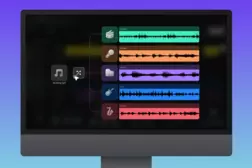
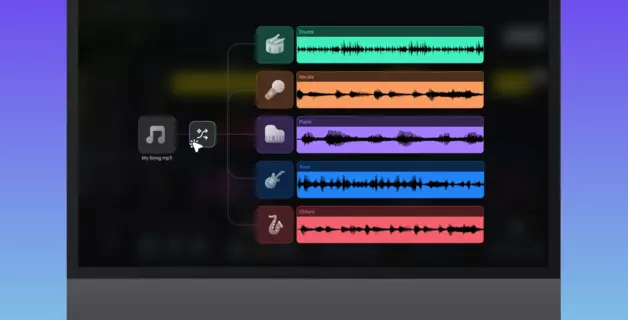
Instruments, effects and sounds load with the studio, ready to use. Amped Studio also includes assistive tools. The AI Assistant creates a multitrack sketch in a genre you choose from a list of presets; keep the parts you like and build out your own ideas from there. AI Splitter separates a finished song into stems such as vocals, drums and bass. Audio to MIDI turns a recorded melody into MIDI notes you can edit and play with any instrument.
Can you make professional-sounding music in a browser?
Yes. A browser DAW sets no technical limit on how good your music can sound. What makes a track sound professional is the same in any DAW: arrangement, sound choices, mixing and mastering. For beginners, a browser DAW is a practical place to learn these skills, because every tool is ready the moment the studio opens.
These are the areas that decide how professional a track sounds:
Arrangement. Clear sections, contrast between them and parts that do not compete for the same space.
Sound selection. Strong source sounds, recorded, sampled or synthesized. Good presets and loops give beginners a solid starting point.
Mixing. Balanced levels, EQ that gives each part its own frequency range, and compression that controls dynamics without flattening the track.
Mastering. Final loudness and tonal balance that hold up on phones, in cars and on club systems.
Export format. Lossless WAV for distribution and mastering. In Amped Studio, WAV export is available on paid plans; the free plan exports MP3.
A browser DAW provides the tools for each of these steps, from MIDI and audio editing to EQ, compressors, limiters, reverbs and delays.
Common myths about browser DAWs (and the truth)
Most concerns about browser DAWs come from an earlier generation of web audio. Here is where each one stands today.
Do online DAWs have too much latency?
When you compose, arrange or mix, latency is not a concern: all tracks play back in sync. It may become noticeable when you record your voice or an instrument and need to hear yourself in real time, especially through numerous effects. A good browser DAW includes buffer and latency settings to handle this.
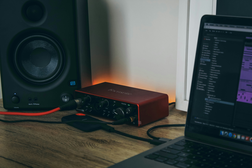
On Windows, browsers cannot use ASIO, the dedicated low-latency driver that desktop DAWs rely on. Recording in a browser may therefore involve more delay than in a well-tuned desktop setup. Amped Studio compensates for this in Settings:
Buffer Size. Lower values reduce latency; higher values reduce CPU load. The resulting latency is shown in milliseconds.
Recording Latency Compensation. Click Calibrate, and the studio measures the delay of your audio hardware and corrects it, so recordings land in time.
Device Delay Compensation. Keeps all tracks in sync during playback, however many devices are in the chain.
When recording vocals, use wired headphones rather than Bluetooth, and hear yourself through your audio interface's direct monitoring, which bypasses the computer entirely.
Can you use VST plugins in a browser DAW?
Most browser DAWs cannot load third-party plugins. Amped Studio is the exception: it pioneered VST support in a browser DAW in 2020 and has offered it ever since.
VST support is available on Amped Studio's paid plans. It works through VST Remote Bridge, an app you install once; after that, it runs in the background and connects the VST plugins on your computer to the studio. The plugins run on your computer, as in a desktop DAW, and their windows open inside the studio. A step-by-step setup guide covers the details.
Amped Studio runs one VST plugin at a time. To use several, process a part with the first plugin, bounce it to audio, then load the next.
Is the sound quality worse online?
No. A browser DAW processes audio digitally in the same way a desktop DAW does and exports the same standard WAV files, so the browser itself sets no limit on quality. What you hear as good or amateur sound comes from your choices: the instruments, presets, samples and loops you use, and how you balance them in the mix. For the cleanest result, export in lossless WAV rather than compressed MP3.
Do browser DAWs work offline, and can you lose your project?
Most browser DAWs need an internet connection to sign in and to save your work. In many, including Amped Studio, you can keep editing the open project if your connection drops, while saving, cloud sound libraries and AI tools wait until you are back online.
Because saved projects are stored in your online account rather than on your computer, a failed disk or a lost laptop does not take your music with it. Save regularly, as in any DAW, to keep your latest changes.
When the browser wins
An online DAW is the better choice when quick access and a low starting cost matter more than deep configuration and advanced features:
You are a beginner and want to start today, without installing software or buying a license.
You use more than one computer and want your projects to follow you.
You cannot install software on a school or work computer.
You work on an older or budget laptop.
You want to capture ideas the moment they come. A tab opens in seconds, with no long startup or plugin scan.
You create content for Reels or Shorts and need a quick way to record a voice-over on top of a beat, with effects and audio editing at hand.
You make music with others and want shared projects to open every time.
When a desktop DAW still makes sense
A desktop DAW is the better choice in these situations:
Plugin-heavy productions. Dozens of third-party instruments and effects running in one large session.
Live performance. Using the DAW on stage to launch clips, loops and effects in real time.
Recording through heavy effects. Hearing yourself through complex processing at the lowest possible latency.
Offline sessions. Long periods of work without any internet connection.
Established workflows. Templates, habits and project archives already built around one specific program.
Can you combine both?
Yes. Producers who already own a desktop DAW can use a browser DAW to avoid the compatibility problems of desktop collaboration.
Sharing a desktop project assumes your partner owns the same DAW, and even that is not enough. A project saved in a newer version often will not open in an older one, and every third-party plugin in the session must also be installed on your partner's computer. The usual workaround is rendering every track to audio, which removes access to the original MIDI and plugin settings. In a browser DAW, you both open the same project in the same studio version, with identical built-in instruments and effects.
A browser DAW is also useful when you are away from your own computer. Desktop licenses usually cover a limited number of computers owned by the license holder, so working on a friend's or a school computer means installing and authorizing software there. A browser DAW works on any computer you sign in on.
Which should you choose?
If you are starting out, work on several computers or want to make music today without paying, start with an online DAW. You can produce and export complete tracks in the browser and add paid features only when you need them. If your music depends on very large sessions, live performance or fully offline work, a desktop DAW remains the right tool.
Amped Studio combines the convenience of a browser DAW with the desktop feature most browser DAWs lack: support for your own VST plugins.
FAQ
For writing, recording, arranging and mixing most projects, a modern online DAW does the job well. A desktop DAW still leads in two areas: very large sessions with many tracks and plugins, and real-time work such as live performance or recording through heavy effects.
No. An online DAW runs in your browser, so you can record, program and mix without installing anything. In Amped Studio, the only optional download is VST Remote Bridge, needed only if you want to use your own VST plugins.
Most online DAWs offer a free plan. Amped Studio's free plan includes instruments, effects, a sound library and MP3 export. Paid plans start at $6.99 per month and add WAV export, more instruments and effects, storage and VST support.
Chromium-based browsers work best. Amped Studio recommends Chrome, Edge or Opera on a Windows or Mac computer. Safari is not fully supported because it lacks the Web MIDI API, the browser technology that connects MIDI keyboards and controllers.
Yes. In Chrome, Edge or Opera, a USB MIDI keyboard or controller connects to a browser DAW through the Web MIDI API. Plug it in, open the studio and play virtual instruments or record MIDI parts directly.
Start creating beats and songs in minutes. No experience needed — it's that easy.
Get started