How to Play Chord Progressions With One Key

BasicsReading time: 1 min
In this tutorial, Vladimir introduces the new Chords feature in Amped Studio, which lets you play entire chords by pressing just one key, even without music theory knowledge.

Learn how to create chord progressions, explore different musical styles, change chord inversions, use Strum and Articulate settings, and convert chords into individual MIDI notes.

00:00 Introduction to Chords Mode
00:21 Degrees and Chromatic Modes
00:55 Changing Scales and Chord Styles
01:32 Chord Inversions
01:53 Adjusting Inversion Positions
02:30 Adding Humanization with Strum
02:45 Articulate and Strum Settings
03:20 Creating and Duplicating Chord Progressions
03:59 Converting Chords to MIDI Notes
04:29 Adding Another Instrument with Chords Mode
05:01 Experimenting with Strum and Inversions
05:47 Changing Instrument Presets and Merging Clips
07:23 Changing the Key of Your Progression
07:53 Outro
Related Tutorials

Basics

Sound Library Explained – Find the Right Samples

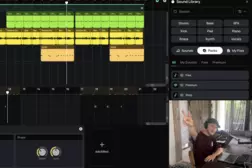
In this tutorial, Andrey explains how to use the Amped Studio Sound Library to find the right sounds for your music. Learn how to browse samples, loops, and MIDI clips, preview sounds, explore sound packs, and manage your own uploaded samples.

Basics

Arrangement Window Explained – Clips, Editing & Audio to MIDI

In this tutorial, Andrey explores the Amped Studio arrangement window and its essential editing features. Learn how to work with audio and MIDI clips, arrange your tracks, edit clips, apply creative effects, bounce MIDI to audio, and convert audio into MIDI.

Basics

Track Panel Explained – Audio, MIDI, Volume & Automation

In this tutorial, Andrey explains how the track panel works in Amped Studio. Learn the difference between audio and instrument (MIDI) tracks, how to add and duplicate tracks, control volume and panning, use mute and solo, edit automation, and prepare tracks for recording.

Basics

Top Panel Explained – Tempo, Playback & Recording

In this tutorial, Andrey explains the Amped Studio top panel and its essential controls. Learn how to set your song tempo and time signature, navigate your project, use the loop function, record MIDI and audio, and work with automation.