Clipe de áudio
Um clipe que contém dados de áudio gravados ou importados. Os clipes de áudio são colocados em faixas de áudio na linha do tempo do arranjo.
Faixa de áudio
Uma faixa para trabalhar com ficheiros de áudio. O áudio pode ser importado do seu computador ou gravado diretamente a partir de um microfone ou de uma interface de áudio. Os formatos de ficheiro suportados para importação incluem WAV, MP3, OGG, FLAC e AIFF.
Automação
Uma faixa na Linha do Tempo do Arranjo que regista como um parâmetro muda ao longo do tempo, como o volume ou o corte de um filtro. A forma da linha de automação determina como o parâmetro se move durante a reprodução.
Bounce in Place
Uma função no Editor de Áudio que renderiza o clip atual e todas as suas amostras, incluindo quaisquer alterações do Editor de Afinação, Editor de Ganho e Inversão, num único ficheiro de áudio novo que substitui o clip no local.
Exportar para nova faixa
Uma função no Menu de Contexto do Clipe que renderiza um clipe com quaisquer efeitos aplicados num novo ficheiro de áudio colocado numa nova faixa.
BPM
Abreviação de Beats Per Minute (batidas por minuto). A unidade utilizada para medir o tempo do projeto.
Tamanho do buffer
Uma configuração de áudio que controla o tamanho do buffer de processamento de áudio. Valores mais baixos reduzem a latência; valores mais altos reduzem a carga da CPU.
Criador de Acordes
Um painel no Editor de Notas para gerar e inserir progressões de acordes num Clipe MIDI.
Clip
A unidade básica de conteúdo na Linha do Tempo do Arranjo. Os clipes contêm dados de áudio ou MIDI e, no caso dos Clipes Inteligentes, configurações de dispositivos. Ver também Clipe de Áudio, Clipe MIDI, Clipe Inteligente.
DAW
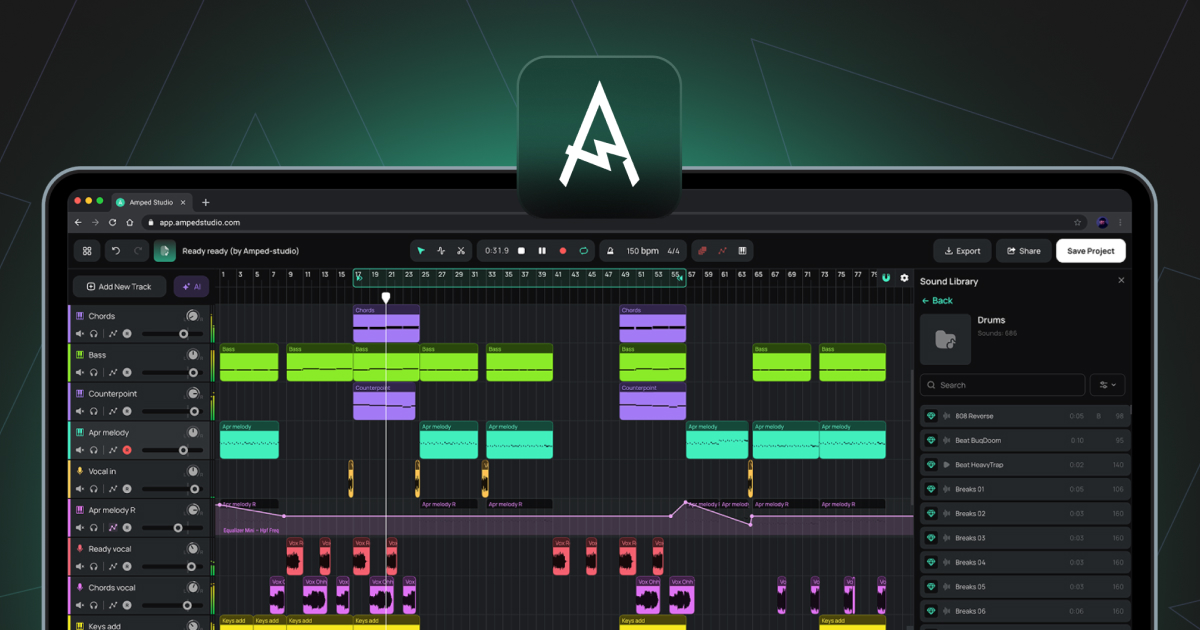
Abreviação de Digital Audio Workstation. Um ambiente de software para gravar, editar, arranjar e misturar áudio e MIDI. O Amped Studio é uma DAW baseada no navegador.
Painel de Dispositivos
O painel na parte inferior do Studio que exibe a cadeia de instrumentos e efeitos para a faixa atualmente selecionada. Funciona em dois estados: Cadeia de Dispositivos Padrão ou Painel de Super Predefinições.
Editor de Ganho
Um botão no Editor de Áudio que ativa uma linha horizontal sobre a forma de onda para ajustar o volume da amostra selecionada em decibéis.
Latência
O atraso entre uma entrada de áudio, como um microfone ou controlador MIDI, e a saída de áudio. Controlado através do Tamanho do Buffer e da Compensação de Latência de Gravação nas Definições.
Faixa Master
A faixa na parte inferior da lista de faixas que soma todas as outras faixas numa única saída estéreo. Os efeitos adicionados à Faixa Principal são aplicados à mistura completa.
MIDI
Abreviação de Musical Instrument Digital Interface. Um protocolo padrão para a transmissão de informação musical entre dispositivos e software. Ao contrário do áudio, o MIDI não contém som. Contém dados de notas, tais como quais as notas tocadas, quando e com que velocidade, que um instrumento virtual utiliza posteriormente para gerar áudio.
Clip MIDI
Um clip que contém dados de notas MIDI. Os Clips MIDI são colocados em faixas de Instrumento e reproduzidos pelo instrumento virtual carregado.
Editor de Notas
O editor que se abre quando clica duas vezes num Clipe MIDI. Utilizado para desenhar, editar e organizar notas MIDI numa vista de piano roll.
Piano Roll
A vista de grelha no Editor de Notas onde as notas MIDI são apresentadas e editadas. O eixo vertical representa a altura; o eixo horizontal representa o tempo.
Editor de Afinação
Um botão no Editor de Áudio que ativa uma linha horizontal sobre a forma de onda para ajustar a altura do som da amostra selecionada em semitons.
Cabeça de reprodução
A linha vertical na Linha do Tempo de Arranjo que indica a posição atual de reprodução.
Quantizar
Uma função no Editor de Notas que alinha as posições iniciais das notas MIDI selecionadas à linha de grelha mais próxima.
Amostra
Em uso geral, qualquer fragmento de áudio gravado. No contexto do Editor de Áudio, uma amostra é um segmento criado ao cortar um Clipe de Áudio utilizando a ferramenta Dividir. Estes segmentos podem ser reposicionados livremente dentro dos limites do clipe sem afetar a posição geral ou a duração do clipe na Linha do Tempo do Arranjo.
Clip Inteligente
Um clip guardado juntamente com as definições da cadeia de dispositivos da sua faixa. Os Clips Inteligentes podem ser criados a partir de Clips de Áudio ou Clips MIDI. Para um Clip MIDI, as definições guardadas incluem o instrumento e quaisquer efeitos. Para um Clip de Áudio, as definições guardadas incluem quaisquer efeitos aplicados à faixa. Os Clipes Inteligentes podem ser guardados na Biblioteca de Sons e reutilizados em vários projetos. Ao longo do tempo, criar uma coleção dos seus próprios Clipes Inteligentes proporciona-lhe uma biblioteca pessoal de sons e ideias que já criou, prontos a utilizar em qualquer projeto futuro.
Stem
Um ficheiro de áudio isolado que contém um único grupo de instrumentos separado de uma gravação misturada, como Vocais, Bateria, Baixo ou Outros. Os Stems são produzidos pelo AI Splitter, acessível através das Ferramentas AI no Menu Principal ou do botão roxo brilhante das Ferramentas AI à esquerda da Linha do Tempo do Arranjo.
Super Preset
Uma combinação pré-configurada de um instrumento virtual e uma cadeia de efeitos, com os principais parâmetros de modelagem de som apresentados num painel de controlo unificado. Pode ser carregada através de + Adicionar Nova Faixa ou através do botão + Super Preset na barra lateral do Painel de Dispositivos.
Velocidade
Um valor associado a cada nota MIDI que representa a força com que a nota é tocada. Valores de velocidade mais elevados produzem geralmente um som mais alto ou mais brilhante, dependendo do instrumento. Editado utilizando as barras de velocidade no Painel de Velocidade dentro do Editor de Notas.
Teclado Virtual
Uma funcionalidade que permite a introdução de notas MIDI utilizando o teclado QWERTY do computador. Ativada com (Cmd/Ctrl+K), acessível a partir da barra de ferramentas.
VST3
Um formato de plugin para instrumentos virtuais e efeitos desenvolvido pela Steinberg. O Amped Studio suporta plugins VST3 através da ponte VSTremote nas subscrições Premium e Premium + AI.